
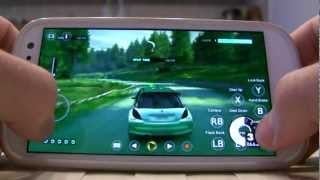
Your Android phone isn’t just for widgets, talking, Google Now and photos. It can also be one of the world’s best gaming platforms, if you’re willing to spend a little time on it.
Once the domain of tinkerers and super-nerds, Android devices have exploded in popularity over the last couple of years, spurred on by the emergence of superphones like the Samsung Galaxy S 4, HTC One and Google’s own Nexus 4.
Despite this increase, there remains the perception that – at least in terms of gaming – Android phones are somehow a step behind the iPhone. That things like piracy, a lack of apps and convoluted system specs are hindering the development of games on the platform.
I’m here to tell you this is bullshit. Chances are that if you own an Android phone, and picked it up within the last 18 months, you’ve got in your pocket a silent killer in terms of portable gaming.
Below you’ll find four steps you can follow to turn that humble little smartphone into something a little more gamey
1. USE GOOGLE PLAY
Well, duh. But if you’re a new user, or someone contemplating making the switch, this is important.
Android users have a bad reputation for pirating software, including games, and in many ways that’s a fair assumption. Pirating games for the platform is way too easy.
Don’t be that guy.
Be the guy that visits the newly-redesigned Google Play Store (Android’s equivalent of Apple App Store) and sees that, hey, nearly every big (and small) iPhone game is there too. Just as cheap. Just as plentiful.
To get you started, here are ten of the best games available in the store
https://lastchance.cc/the-12-best-games-for-android-5878879%3C/a%3E%3C/p%3E
You’ll even find some hot exclusives. Kairosoft’s entire catalogue of addictive-as-hell management games is on the Play Store, for example, while only a handful have ever made it to the App Store.
Seriously, there are enough quality games on there already that we could end the guide right here and you’d be set. Luckily, we’re not ending the guide here.
Those remaining developers who either delay bringing their games to Android, or don’t do it at all, usually cite piracy as one of the big concerns. The more people actually pay for apps and games on Android, the more of these developers will be encouraged to bring their wares to the platform. So do it.
2. GO RETRO
Let’s say you want to play something more substantial than most mobile titles can offer. Or a classic game from your childhood that, for better or worse, isn’t available on the Play Store. The great thing about Android phones is that you can still play these games, and it’s a lot easier – and more legal – than you might think.
Two of the most popular means of running old PC games on modern systems – DOSBox (for old DOS games) and ScummVM (for old adventure games) – both have versions available for Android devices.
Before we go any further, then, you’re going to need install these three applications:
While that last link isn’t necessary, you’re really going to want it. What DOSBox Manager does is let you create a quicklaunch screen for the games, so instead of having to enter command prompts every time you want to play a game (which is normally how DOSBox works), you just tap some box art, same as a regular app/game.
The quickest, easiest and most legal way to get hold of old PC games is to visit a site like Good Old Games. Many titles you can purchase there are supported by DOSBox, so all you need to do is download the game to your PC and copy the files over to your phone.
Tom DuPont has written a great in-depth guide to this process which you can read here
If you need help using DOSBox Turbo and/or getting your games running, the best place to start is the app’s site, which has helpful (and easy to understand) walkthroughs and guides
ScummVM is an easier proposition, but if you have trouble setting it up,the official guide gives you a great walkthrough on getting set up
A word of caution, though: be careful which games you bring over. Your phone has limited inputs, most likely just a touchscreen, so trying to play a fast-paced RTS or shooter might not be the best idea. Slower, mouse-driven genres like adventure and turn-based strategy are a good place to start.
Unless, that is, you want to…
3. GET A CONTROLLER (OR USE A MOUSE)
It sounds crazy, I know. Buying an external controller for your phone defeats the entire point of playing games on a portable device. But the fact of the matter is, as phones become more powerful, phone games become more powerful, and it’s a tragedy that people try to play something like Real Racing using touchscreen or tilt controls. Stick a pad on there and some of these newer games will feel like a console game, instead of just looking like one.
There’s also the benefit it brings to the retro games you’ll be playing. Use a gamepad and suddenly all those amazing old shooters are playable. Connect a bluetooth mouse to your phone and anything you can’t play with a pad, you can probably play with it
Doing this is pretty simple; provided they don’t need drivers, Android natively supports bluetooth peripherals, including keyboards, mice and control pads. It’ll even display a mouse cursor if it detects one. Just find your phone’s bluetooth settings and pair it up.
To save you buying a gamepad, there’s an app that lets you connect a PS3 pad to an Android device (though note: your phone needs to be rooted for this to work). Alternatively, you can sync a Wii Remote, since it also connects via Bluetooth (and can be configured with this app).
https://lifehacker.com/everything-you-need-to-know-about-rooting-your-android-5789397
If you don’t have a spare controller or mouse already lying around, or are looking for something a little more tailored, you can always try dedicated controller solutions like the MOGA Pro
Phone screens, though, are at the cutting edge. Relatively tiny yet packing amazing colours and now sometimes even 1080p resolution, they breathe new life into your old games. Trust me, fire up something like Colonization or X-Com on a contemporary phone and it’ll look better than ever.
4. GET A BIGGER BATTERY (OR BATTERY PACK)
The one major downside to the crop of modern Android smartphones is that, almost to the last, they’ve got terrible battery life. Most can barely last a single day, even with infrequent use. If you’re planning on playing a game at home, that’s not a problem, but let’s be honest, how often will you be playing a phone game at home?
Running 3D graphics – or even just leaving a big bright screen on for long stretches – will kill your battery. So if you’re serious about gaming on your Android phone, you should think about getting a bigger battery (if your phone supports removable batteries) or an external battery case/charging pack (if it doesn’t).
5. SIGN UP TO ONLIVE
It’s easy to forget about the company these days after all the problems it went through last year, but streaming service OnLive is still around, and it works on Android devices. Your mileage may vary depending on your device – it’s more suited to tablets than phones – but if you’ve got a gamepad solution for your phone, and your connection is fast enough to pull it off, you can play all kinds of games that would normally never be available on the platform.
https://lastchance.cc/source-onlive-filing-for-a-form-of-bankruptcy-new-com-5935767%3C/a%3E%3C/p%3E
OnLive runs through an app you can get here. It’s currently only available in North America and the UK.
—-
That should about cover it! There’s enough here to get you started on turning your Android phone into a go-to games platform. If you’ve got something to add, though, let us know below!
Howtu is Kotaku’s guide on how to get the most out of your gaming.