The ambitious new game Disney Infinity is freezing and becoming unplayable for multiple PlayStation 3 users, including two Kotaku editors today. The game’s producer has recommended that PS3 users delete the game’s day-one 1.01 patch.
That solution is helping, though online play won’t be available without the patch.
We’ve seen some threads on the official PlayStation message boards about the freeze as well as a number of Tweets. But we didn’t have to look far to find out that there was a problem.
Our Infinity reviewer, Mike Fahey, who has been playing a retail PS3 copy of the game since Friday, before the game was patched, began to experience game freezes on Sunday afternoon.
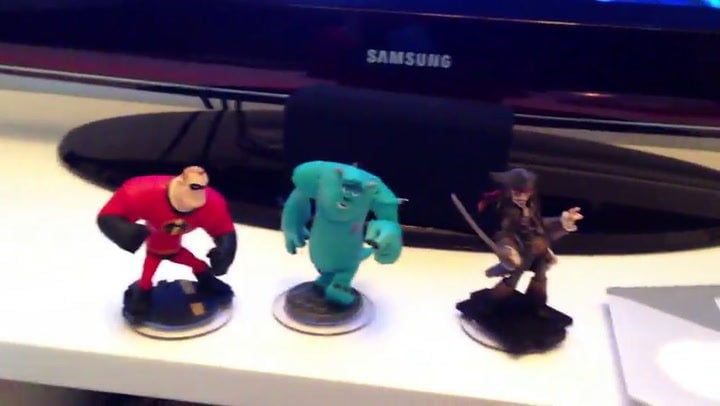
I only started playing the game on the PS3 today and, unlike Mike, only did so after downloading the game’s 1.01 patch. While the game’s 12-minute intro was playable, Infinity then locked up when it came time to place one of Infinity‘s toy figures on the base (Infinity is similar to Activision’s popular Skylanders games in that it syncs toy figures to a video game.)
And here’s Mike’s report of similar troubles:
https://www.youtube.com/watch?v=1SoQkFc6lK0
On Twitter, Infinity producer John Vignocchi has been advising PS3 users to delete the game’s 1.01 patch.
I tried doing that, and was in fact able to finally get into the game. Deleting the patch works…with some caveats.
First, here’s how to delete the patch, if you’re experiencing this issue:
I also deleted the installed version of the game and any save files from my saved game folder. I’m not sure if that was necessary. If you already made progress in the game, you may want to skip that step and see if just deleting 1.01 does the trick.
As for the caveats:
1) You have to refuse the patch repeatedly. As long as your PS3 is connected to the Internet, Infinity will prompt you, every several minutes, to grab the patch. Just keep pressing the circle button to refuse. The problem is that pressing the X button will accept this and… well, pressing the X button is what you, like me, may have been doing to make your character in the game jump. If you’re trying to jump just as the prompt to download the patch comes up, odds are it’s going to start triggering the download. As soon as you can, press circle to cancel the download. You’ll be knocked back to your most recent save, most likely.
2) You won’t be able to play online. You’ll have to forgo online multiplayer for now, as the PS3 won’t let you sign into the PlayStation Network while playing the game, if you don’t also agree to patch the game.
We’ve reached out to Disney for further comment, advice and any update about when this will be resolved. Infinity is a huge game for Disney, so we’re expecting and hoping this will be resolved swiftly.
UPDATE: Disney has issued a statement about the problem on Infinity’s Facebook page, noting that “[w]e have learned that there is a network issue related to the 1.01 patch for the PlayStation 3 version of Disney Infinity. This is not a software-related issue, and we are working to resolve this as quickly as possible.” The company lists the relevant steps to take to delete the patch and turn off the PS3’s network connections to avoid getting prompted to download the patch as you play.
We’ve not heard of similar issues with the Xbox 360 and Wii U versions of the game.
To contact the author of this post, write to [email protected] or find him on Twitter @stephentotilo.