
Two new gaming consoles. Both very powerful. Both very ambitious. Both about to meet head to head… and do battle for your time, money and attention, as well as the fate of the universe!
Two weeks ago we reviewed the PlayStation 4. Last week we reviewed the Xbox One. Now that we’ve had a decent chunk of time with both consoles, let’s bang them together and pretend they’re fighting.
https://lastchance.cc/the-playstation-4-the-kotaku-review-in-progress-1463521231%3C/a%3E%3C/p%3E
A Few Notes:
Sorry, no Wii U. The Wii U is a cool console, a fact we noted when we re-upped our review just yesterday. We still don’t think it’s a must-own, but there are more good Wii U games than ever. That said, the purpose of this article is to compare the two recently released, similarly spec’d gaming consoles. We don’t hate the Wii U. But it’s not really a part of this particular article.
About the “Edges.” Each category below will have an “Edge” given to the console that’s out front. Let’s not get too worked up about it. Both consoles have their strong points, and both have their shortcomings. Both will probably be considerably improved and evened out over the next six months to a year. This isn’t the sort of thing that can be assigned a score, and there’s no need to tally which console “wins” more edges. The idea here is to give a broad sense of how the consoles are similar and how they’re different, and what their respective strengths are.
Ready? Let’s begin.
The Box
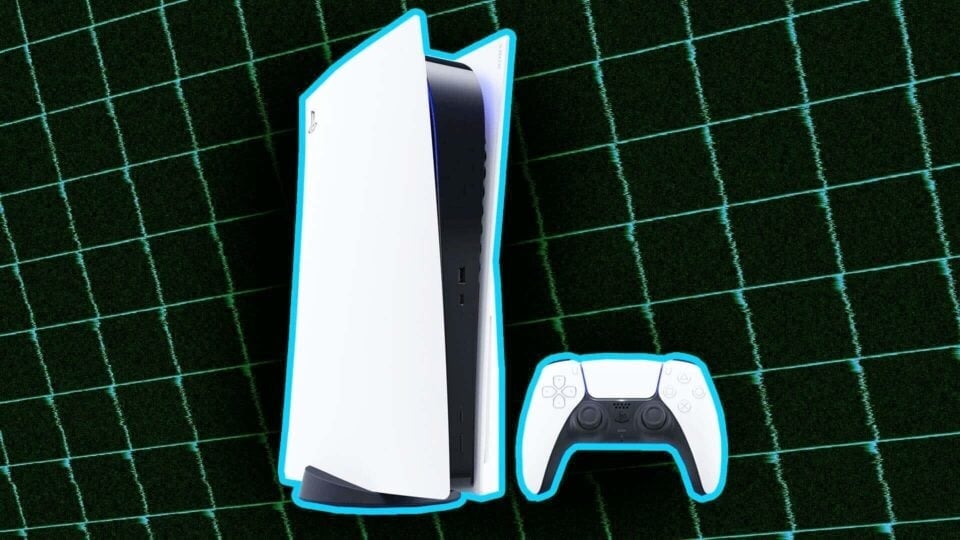
PS4: The PlayStation 4 is a nice size, and almost feels an inch or so smaller than it “should” be. Not a bad thing! It’s equally comfortable sitting flat or standing on end, and I’ve found that I don’t need a stand to put it on its end. The parallelogram shape is more pronounced than I was expecting. The tiny power and eject buttons were a lot for me to get my head around; before I bought my PS4, I joked with Stephen about his article showing readers how to find the power button. After I got mine, I’m no longer joking. It took me a couple of days to remember, “Bottom means eject, top means power.” (There’s probably a dirty joke in there somewhere, but I’m not quite finding it.)
Xbox One: The Xbox One is a big-ass chunk of black plastic. I actually quite enjoy its retro VCR design. There’s something cool about being brashly uncool, I guess. But the console is also quite large, and has completely overtaken a shelf in my entertainment center. I understand that Microsoft wants their console to be, along with my cable box, the only entertainment unit I need. But that just isn’t the case, so the Xbox One’s size winds up feeling a little bit inconsiderate. I really like the console’s disc tray, and think that of the two consoles, it has by far the most intuitive and easy to use disc-eject button. (How strange that something so small could still feel worth noting!) However, I don’t like the touch-sensitive power button, as it’s much too easy to accidentally turn it on while I’m moving the console.
Edge: PS4. The Xbox One is just not as good-looking a box, though it almost makes up for its homeliness with confidence. If the Xbox One were about 30% smaller, this’d be more of a toss-up.
The Media Integration
Xbox One: The Xbox One’s middle name might as well be “media integration.” It would sign checks and wedding registries Xbox “Media Integration” One. It’s designed to be more than just a gaming console. Sure, it lets you watch Netflix and Amazon Video and the like, but it can also take in your cable box’s A/V signal and let you switch straight to your TV without pressing your TV’s “input” button. If you watch a lot of TV, the ability to immediately call up your favorite channels is quite nice, and the Xbox One’s OneGuide tool is a smart idea that keeps all of your favorite shows—be they downloaded, streaming or on live TV—in one place. All that’s missing is an on-board DVR, which will hopefully come in the future. The Xbox One also has DLNA media server compatibility, letting you stream media directly to the console. All of that is wrapped up in nifty multitasking functionality that makes it possible to flip between a game, a Netflix movie and a TV show without losing game progress. It’s far from perfect: It’s difficult to tell what apps are currently running, you can’t adjust the volume while running two apps at once, and the Xbox has a worrying tendency to unceremoniously close games without warning. But hopefully that stuff will be fixed in future software updates.
https://lastchance.cc/all-23-of-the-xbox-ones-launch-games-reviewed-1468305109%3C/a%3E%3C/p%3E
PS4: The PS4 handles non-game media about the same as the PS3 did. You can open up apps like Netflix and the like, but there’s no broader concept underpinning it all. The console also can’t multitask all that well—if you open up Netflix, you’ll have to close the game you’re playing, and vice versa. It’s nice to be able to access the menus and adjust settings without closing your game, but that’s as far as the PS4 goes. (Update: Nicely, it turns out you can in fact suspend Netflix playback to play a game then go back without losing progress in either. Good show, Sony.) The PS4 is alsonotably missing DLNA compatibility, though Sony has said they’re looking into adding it post-launch.
Edge: Xbox One. Microsoft has clearly gone whole-hog on the idea that the Xbox One will be more than a gaming platform, and their dedication shows. They haven’t nailed the execution yet—the multitasking has some significant deficiencies and Kinect isn’t quite reliable enough to replace a controller or remote—but they’re pushing forward, full-steam ahead. Xbox One will likely double down on media stuff in the years to come, particularly if Microsoft inks deals with cable providers to turn the Xbox One into a subsidized, double-duty cable box. The PS4 seems unambitious by comparison, but then, Sony has their own set of priorities.
The Gifs
Xbox One: When the Xbox One launched, NeoGAF gave us Terry Crews:
PS4: When the PS4 launched, NeoGAF gave us Antonio Banderas:
Edge: Draw. We all win.
The Controller
PS4: The PS4 has an excellent controller. The ergonomic aspects of the DualShock 4 are designed to accomplish two things: Pitch your hands slightly forward and keep them in place. The textured underside of the grip lets my back three fingers grab hold in a pleasing way. The hooked triggers catch my index fingers and give them purchase. The cups on the thumbsticks give my thumbs somewhere to rest. I was genuinely startled by how great the controller felt the first time I used one.
The speaker and headphone jack are also nice; very cool of Sony to make it so easy to pipe game audio out through the controller to any set of headphones. Some have complained about the placement of the Options button, but I actually don’t mind it and have quickly adjusted. The touchpad, however, doesn’t seem to respond quite like I expect a touchpad to and it’s awkwardly placed. I’m reserving judgment until some game or other makes real, substantive use of it. The light-bar is the only big WTF from me; it reflects in my TV annoyingly and doubtless lowers the controller’s already-short battery life. I’m surprised there isn’t a built-in option to at least dim the light-bar, since I’d rather not put electrical tape on my new controller (and that wouldn’t help the battery life anyway). Hopefully that will come at some point in the near future.
Xbox One: The Xbox One controller stays close to the design of the Xbox 360 controller, which is good, because the Xbox 360 controller is a darn good controller. I find myself questioning some of the changes Microsoft has made—I don’t immediately love the new triggers, which feel mushy, or the longer thumbsticks, which make my thumbs feel like they’re on stilts. The shoulder buttons are also weirder than I’d initially thought, and I’m not really a fan. I’ve played more first-person shooters since when I wrote my review, and haven’t yet warmed to the sticks or triggers—my thumb has so much farther to travel with each movement that it makes my aim feel looser. The triggers, too, don’t provide much by way of resistance, which makes it tricky for me to tell when my on-screen character is actually going to fire.
So, still not loving the Xbox controller, though I’ve seen plenty of other people saying they prefer the softer triggers. The removal of the exterior battery pack makes switching the batteries more difficult, but the controller itself has outstanding battery life—my primary controller is still on its first two batteries with no end in sight. Controller trigger-rumble is cool, but hasn’t been used in enough games to tell me whether it’ll be the way of the future or just another gimmick. Still, none of those niggles take away from what is fundamentally a well-designed controller.
Edge: PS4. The Xbox One controller is a very good controller. But Sony has gotten so much right with the DualShock 4—the feel, the shape, the triggers, the headphone output and speaker, even the as-yet-untested touchpad—that it’s easy to forgive what they’ve gotten wrong (the light bar and battery life). I recently found myself looking up ways to hack my PC to let me play my Steam games with the PS4 controller instead of the Xbox 360 controller I normally use. That kinda says it all.
The Camera
Xbox One: Much has been made of the Xbox One’s Kinect 2.0 camera. And much should be made of it; it’s a substantial living-room presence, an interesting piece of technology and an integral part of the overall Xbox One experience. It may not work all the time—or, as it sometimes feels, most of the time—but when it does work, the new Kinect can make the task of cycling through the Xbox One’s menus much easier. There’s nothing quite like sitting down with a sandwich and a beer and, while getting myself situated, talking my Xbox into setting up the movie I want to watch. That said, there’s also nothing quite like fruitlessly saying “Xbox pause. Xbox pause. Xbox. Xbox pause” over and over in a “bad dog” voice while everyone else in the room looks on in mild mortification.
PS4: The PS4 doesn’t come bundled with a camera, but it can use one: A shiny little number that reminds me of a package of black-licorice Starburst. I was surprised at the PlayStation Camera’s small form factor, and at how easily it mounted on the top of my TV screen. It immediately recognized me and told me it would sign me in by my face. And then… I basically forgot I had it. It forgot about me, too, and I’ll probably have to spend more time training it to recognize me. With significantly limited more limited voice controls and almost no meaningful game integration, the PlayStation camera currently feels inessential.
Edge: Xbox One. I’m less convinced than ever that our bright technological future will involve people around the world all yelling at their TVs in a tone of voice normally reserved for misbehaving pets, but the Xbox One’s camera still feels much more confidently designed than the PS4’s. It’s mostly software—Microsoft has really doubled down on their camera, and the short-term result is that Kinect feels more relevant to their console. The long term result could well be that we’re all looking back chuckling about how Microsoft thought voice control was going to change the world. Or perhaps we’ll be shaking our heads that we ever doubted it could work. We’ll see.
The Games
PS4: The PS4 hasn’t gotten very much credit for its launch lineup of exclusive games. Which to a point is fair: Knack is charming enough but feels retrograde. Evan didn’t like the sci-fi shooter Killzone Shadow Fall though it’s slowly growing on me, despite the fact the writing is beyond terrible and the enemy AI is at times startlingly thick. (Maybe they just can’t see me that well through those gas masks they wear?)
But the PS4 has a few more weapons than those in its arsenal: Third-party games and smaller, downloadable exclusives. I’m impressed by how downloadable games like Contrast, Flower, Trine 2, Super Motherload, Sound Shapes and the show-stealing Resogun serve as more than just caulk between the PS4’s larger on-disc games—they’re all worthy experiences in their own right. And third-party games like Assassin’s Creed IV, Battlefield 4 and Call of Duty: Ghosts all look better on PS4 than their Xbox One counterparts, some—ACIV and Ghosts in particular—considerably so. Put that all together and the PS4’s lack of a killer big-budget game is significantly softened. Our review round-up of all of the PS4’s launch games can be found here
Xbox One: The Xbox One is in a near-opposite situation from the PS4. The big-budget exclusives are all good: Dead Rising 3 is a fun, massive game that I’ll be playing for months to come. Ryse: Son of Rome is awfully simple, but is a lot more fun than its detractors give it credit for. And Forza Motorsport 5 is a gorgeous-looking car-lover’s game. But the smaller downloadable games fail to fill in the holes in the same way as the PS4’s downloadables do. LocoCycle and Crimson Dragon are ho-hum at best. Killer Instinct is fun, but as Evan put it, feels “half-strength even when you buy everything.” There aren’t any pure, simple pleasures like Resogun, no lovely rehashes like Flower, no oddities like Sound Shapes. And aside from the coming release of Peggle 2, there won’t be many more for a while.
Meanwhile third-party games like Assassin’s Creed IV and Call of Duty: Ghosts all look and play fine on Xbox One, but the fact remains that some of them look slightly jaggier and lower-res than their PS4 counterparts. (Because, in the case of AC IV, BF4 and Ghosts, they are in fact running natively at a lower resolution on Microsoft’s box.) Our review round-up of all of the Xbox One’s launch games can be found here
Edge: Draw. Xbox One has more high-quality big-budget games, but the PS4 has the graphically superior version of almost every multiplatform game and Sony’s console has a superior collection of downloadable games and interesting indies. Between them, the two consoles have everything a gamer could want: First-person shooters, racing games, open-world games, old-school character action games, twin-stick shooters, art games, and so on. The good news is that whichever console you get, you’ll have some worthwhile stuff to play on it.
The Game Cases
PS4: PS4 game cases are reminiscent of Vita cases, but a bit larger. They’re thin and blue, with rounded corners that feel good in your hand. Pretty standard stuff.
Xbox One: Xbox One cases are a substantial change for Microsoft. They’re still green (bleh) and very thin—thinner than a PS4 case. Their box art color is a bit bleached-out looking, and pops out with less contrast when placed on a shelf spine-by-spine. But in the craziest change, Microsoft now puts the game disc on the left side of the case with the booklet and other documentation to the right. What madness is this? I don’t even know where I am anymore!
Edge: Xbox One. Okay, sure, both cases are fine. But I like that Microsoft basically said, “Fuck it, it’s next-gen, LET’S PUT THE DISC ON THE LEFT SIDE.” Being right-handed, it actually makes it a touch easier to open the case, hold it in my left hand and remove the disc with my right… oh who am I kidding, they’re basically the same.
The Games of the Future
Xbox One: The Xbox One has a bunch of games coming, starting next year with Bungie’s multiplatform Destiny and the Xbox One/360/PC exclusive Titanfall. There are also exclusives like SWERY’s D4, Remedy’s Quantum Break, Project Spark, Plants vs. Zombies: Garden Warfare and of course, a new Halo game, but it’s less clear when all of those are coming out. Find a complete list of announced Xbox One games here
PS4: The PlayStation 4’s big upcoming exclusive is the open-world superhero game Infamous: Second Son, which will join Destiny, their racing game Driveclub and Jonathan Blow’s timed-exclusive The Witness to fill out the first half of next year. They’ve got a ton of indie games with timed exclusivity on their platform, which should give people plenty to do while they wait for the more substantive games like The Order: 1886 and Uncharted 4 to come out. Find a complete list of announced PlayStation 4 games here
Edge: Draw. It’s difficult to say that either console has the better upcoming games, since we know so little about most of the games and when they’ll be coming out. It looks like Sony’s going to have a more complete-feeling lineup in the short term, but once the timed exclusivity on their indie games is up, Xbox One will probably get a lot of the same games. In 2014, both platforms will also have lots of great multiplatform games like Dragon Age III and Watch Dogs. At this point, the future’s a draw. We’ll see as we go.
The Ability to Play The Games You’ve Spent Eight Years Collecting
Xbox One: The Xbox One is not backward compatible.
PS4: The PS4 is not backward compatible.
Edge: For fuck’s sake, guys. Make your consoles backward compatible.
The Operating System
PS4: The PS4 operating system keeps things very simple… too simple, sometimes. I like how easily I can flip through the games I’ve been playing, but I hope that in the future, we’ll get a more meaningful way of organizing our libraries and “sticking” more apps and games to the dashboard. The PlayStation 4 operating system feels like a basic foundation, and I’m hopeful that Sony will (tastefully!) build on it in the future.
Xbox One: Microsoft knows a thing or two about operating systems, and while their opening gambit for the Xbox One doesn’t quite feel finished, it’s a pretty good start. It’s nice-looking, mostly well-organized and makes it easy to keep a handle on your favorite games, apps and folders. I’d love to be able to manually rearrange my pins like I can on my Wii U or 3DS home screen, since “move to top” becomes much more complicated when I’ve got a dozen apps pinned. And I wish the “settings” menu were a little easier to find and access. But generally speaking, it’s a strong start. And hey, three cheers to Microsoft for not larding up their homescreen with McDonalds ads. Well, yet.
Edge: Xbox One. Microsoft has embraced their best OS habits (clean presentation, flexibility, pleasing aesthetics) and ditched their worst ones (ads everywhere). The PS4’s spartan menu options aren’t exactly unwelcome, but they’re a tad underdeveloped compared with the rest of the console. Microsoft seems to have a very clear idea of where it’s going with the Xbox One’s OS, and are well on their way to getting there.
The Online Service
Xbox One: The Xbox One offers Microsoft’s long-running, sturdy Xbox Live online service. You can get basic functionality for free with Xbox Live Silver, but if you pay $60 a year for Xbox Live Gold, you get the “full” feature set. That means you can access most streaming subscription services like Netflix and Amazon Video, play multiplayer games online and access other features like party-chat and the Xbox One’s new Upload Studio. Microsoft also offers discounts on some products and services, and allow for early access to demos and the like. Nicely, Microsoft has recently begun offering free games to subscribers—Gold members get access to two games per month, though they’ll have to download each game within its half-month window or the offer goes away. On the upside, you get to keep the game even if you cancel your Gold subscription.
PS4: Sony’s PlayStation Network has undergone a hell of a transformation lately. When they first launched their for-pay PlayStation Plus service, it was a bit of a head-scratcher. Why pay when Sony was offering most PS3 online services, including multiplayer and chat, for free? Then came the games. So, so many games. PlayStation Plus began offering subscribers access to what Sony named the Instant Game Collection, which lets users download all current and future games on the list for no extra charge. New games are doled out on a regular basis, so at this point, early-adopting PlayStation Plus members have access to a massive library of free games as well as the usual perks like early demos, betas and discounts. If you buy a PS4, you’ll need PlayStation Plus to play multiplayer online—a change from PS3. But you’ll also get access to several good games at launch, including Contrast and Resogun. PS+ subscribers also get games across three platforms—The Vita, PS3 and PS4—for one subscription fee. Not bad at all. Unlike with Xbox Live Gold, however, if you cancel your PS+ subscription you’ll lose access to all those games… so the service is more like a subscription games setup than an actual game giveaway. PlayStation Plus is $50 per year, $10 cheaper than Xbox Live Gold.
Edge: PS4. Sony’s got this one on lockdown. As Stephen pointed out last year, PlayStation Plus makes a mockery of Xbox Live Gold. Microsoft has made up some ground since then, but not enough to unseat their competitor. Not only does the PS4 let all users access the Netflix app without paying for PlayStation Plus (Microsoft locks Netflix behind their Gold paywall), PS+ subscribers will get to play one of the console’s best games (Resogun) for “free” at launch. Assuming that Sony begins to add more PS4 games to their instant games library, a PlayStation Plus subscription will become more and more valuable as time goes on. It’s nice to see Microsoft jumping on the free-games bandwagon, though their offering of one game per half-month with no available backlog pales in comparison with Sony’s library despite the fact that you get to keep your games on Xbox. Hopefully Microsoft will continue to work to become more competitive with Sony, because the end result seems to be more games for everyone. Moral of the story: If a gaming company is gonna charge for online multiplayer, it sure does help if they throw a bunch of games into the bargain.
The Social Stuff
PS4: The PS4 comes with built-in Facebook integration, which the console uses to power its real-name social network. It’s really just a Facebook overlay on the existing PSN, but it’s surprisingly cool in practice. I love seeing my friends’ real names attached to their profiles, and while most of my PSN friends don’t yet have PS4s, I’m looking forward to the day when every one of my gaming friends is a real name and a photo. Sony’s implementation could be better—wouldn’t it be nice to be able to send friend requests and name requests at the same time?—and the actual social timeline is awfully overcrowded and difficult to parse. Some filters would be nice, and it’d be great to have more control over what I see and post. It’s a good start.
https://lastchance.cc/all-24-of-the-ps4s-launch-games-reviewed-1464421841%3C/a%3E%3C/p%3E
Edge: PS4. Sony’s social stuff needs some fine-tuning and pruning, but they’ve gotten more of it into their box at launch than Microsoft has. The Xbox One has some catching up to do, and hopefully can launch social apps that are already on the same level as Sony’s no-doubt-by-then more refined ones.
The Sportsbros
Xbox One: The Xbox One Sportsbros are very disappointed in you
PS4: The PS4 Sportsbros are also very disappointed in you
The Video Sharing
PS4: Sony has made sharing very easy via the “share” button on the console, and it’s remarkably simple to save a few minutes of video game playback and post it to Facebook. (They say YouTube is coming.) Twitch streaming is also very nice, as is the ability to grab and tweet screenshots and tweet them. But they haven’t made it possible to get access to your raw video files or screenshots, which is a bummer for those who would prefer to edit their stuff away from the PS4. It’s a double-bummer because for the time being, PS4 has HDCP copy protection on all gameplay, meaning that it’s not possible to use an external capture box to get game footage. Sony says they’re going to remove HDCP from the console’s games. Please do, Sony!
Xbox One: Xbox One’s Upload Studio allows users to edit and post their videos onto Microsoft’s own service and, neatly, simultaneously post the raw video file onto their SkyDrive for editing elsewhere. The videos are highly compressed and nowhere near the quality you’d get if you used a dedicated capture box, but because the Xbox One also doesn’t have HDCP copy protection on its game signal, those who care about quality can just use capture boxes. It’ll be nice to see the Xbox One’s sharing grow to support more services direct from the console, particularly integrated Twitch livestreaming, but allowing users to access their own raw files is a good fail-safe.
Edge: Draw. Both consoles’ sharing features are in-progress, and both have strengths and weaknesses. Sony’s dedicated share button and Twitch support are terrific, and useful. The lack of HDCP on the Xbox One’s video output is a nice sign of respect for players. It’s good that Sony is planning to remove HDCP from the PS4. The sooner the better. For now, both consoles make it easier to share gameplay footage than ever, but neither one has quite nailed it.
The Second Screen
Xbox One: The Xbox One SmartGlass app is well-designed and helpful; it lets you easily navigate your Xbox’s home screen and menus, and gives useful options like “Don’t put the phone to sleep while the app is active.” There are both phone and tablet versions of Smartglass, and some games, like the Xbox One-exclusive Dead Rising 3, come with nifty companion apps that automatically start running when you start the game. The whole thing is very slick.
PS4: The PS4 has a couple of second-screen options. There’s the PlayStation app, a relatively bare-bones phone-only app that can connect to your PS4 and double as a keyboard for inputting codes and messages. Then there’s the Vita handheld, which can do all the things the phone app can do plus it can act like a Wii U screen and play PS4 games remotely. It really only works with no lag if you’re near your PS4 and your router, plus the remapping of the thumbstick and shoulder buttons is a bit of a nuisance. But it’s still pretty darned cool when it works. Hopefully Sony will improve Remote Play performance and make the thumbstick/shoulder mapping work better (maybe give us the option of putting the touch-spaces on the front screen?), as well as make a tablet version of the PlayStation app.
Edge: Draw. Xbox Smartglass has got the PlayStation app beat handily, but the PS4’s ability to beam games to the Vita is awfully cool. I’m not yet convinced we need this second-screen smartphone stuff in games, but I’m ready to be. Convince me, video game people.
The Music
PS4: The PS4 comes preloaded with placid new-age menu music that, as perfectly described by The A.V. Club’s John Teti, “sounds like waiting-room music at a Japanese spa.” It may be pure cheese, but it serves a function: It’s there for when we first open up our new console. We turn the console on and navigate the menus, awash in the soothing future-tones of the menu music. “Welcome to PS4,” it tells us in a voice that sounds like a calming amalgamation of Allison Janney and Tommy Lee Jones. And we feel welcomed. Then, at some point, we finally turn it off. Because enough already.
Xbox One: The Xbox One doesn’t have any persistent menu jams, but its startup/shutdown songs are their own sort of music. Tiny compositions that maybe, just maybe, tell us something more about the Xbox One. Does the extra note signify the Xbox One’s added features? Only the composer knows for sure.
Edge: Xbox One. For most users, the PS4 music will eventually have to go. The Xbox One startup sound will be with us for years to come. It will likely become iconic, a mini-melody that will be heard by millions of people millions of times. That’s pretty cool.
The Ability To Play Mario and/or Zelda
PS4: You cannot play Mario and/or Zelda on a PS4.
Xbox One: You cannot play Mario and/or Zelda on an Xbox One, though if you don’t mind a little lag, you can snap a Mario or Zelda game through the Xbox One’s HDMI input.
Edge: Wii U.
The Support For Your Existing Accessories
PS4: Sony has done a fine job of supporting existing hardware, with a couple of glaring omissions. As they’ve done in the past, they let you plug the power and video cable from your PS3 into the new console. The PS4 accepts any USB headset and immediately ties it to a user profile and makes it usable for chat. The optical output works with high-end gaming headsets, and it’s even possible to do chat and audio using simple iPhone headphones. All very cool. The two glaring omissions are: The controller won’t accept the PS3 controller cable, and the lack of backward compatibility, which we’ve already covered.
Xbox One: Microsoft appears to be focused on getting users to buy into their own product infrastructure. The Xbox One requires a proprietary headset to have any chat functionality outside of the Kinect mic. (Hopefully we’ll get adapters soon.) You can’t use your existing power supply; you’ll have to put the Xbox One’s power brick next to the Xbox 360 power brick behind your TV. The Xbox One can’t output optical Dolby digital audio at launch, so high-end gaming headsets won’t get full surround sound. Like the PS4, the Xbox One is also not backward compatible, and you can’t swap battery packs with an Xbox 360 controller. On the plus side, the Xbox One is entirely compatible with capture boxes that worked on 360, so your Elgato should make the transition seamlessly.
Edge: PS4. While it’s a damned shame that neither console is backwards compatible (Look at your cousin the Wii U! Learn from his example!), at least the PS4 works with a fair amount of your existing equipment.
The Hardware Failures
PS4: At launch, a small number of PS4s have been affected by what’s come to be known as the “Blue Light of Death.” The console shows a pulsing blue line and becomes inoperable. Sony says it’s affected less than 1% of all purchasers. That’s still a lot of consoles.
Xbox One: The Xbox One, meanwhile, has had an issue of its own—the awful, grinding “Disc Drive of Doom.” We’re still not quite sure how widespread the issue is, but the more we write about it, the more people write in to tell us about it.
Edge: Blue Light of Death, Disc Drive of Doom… in this case, there is no “edge.” Everyone who loses, loses. Both companies are playing it very close to the vest with the actual number of failed units, and it’ll likely take a good long while to tell whether either console is having a problem on the scale of the Xbox 360’s three red lights. For now, if you get a new console, just hope it isn’t a lemon. We can only hope both companies are being prompt about swapping out damaged hardware for new consoles, though hey, at least Microsoft is giving free games to make up for it.
The Verdict
Both the Xbox One and the PS4 received “Not Yet” verdicts in our reviews. Are they must-have systems? Are they essential? Not yet. Wait and see.
But say you’re definitely going to get one or the other. “Kotaku,” you say, “I’m buying a PS4 or an Xbox One. I want a new console. It’s happening. Which one should I get?”
Again, let’s not get too bogged down in tallying the “edge”s from the comparisons listed above. The categories we chose are all pretty broad and far from definitive, and some were just for fun. Think of those comparisons as more of a guide, because our final recommendation is a bit different depending on who you are.
With that in mind, our recommendation:
If you mostly just like to play games, get a PS4. The PlayStation 4 is the stronger console for playing games. It is, more or less, a last-gen console that’s been improved in every way you’d expect. The reworked controller finally brings Sony up to Microsoft’s level in terms of input, which removes a substantial advantage the Xbox 360 had over the PS3. Its slightly superior hardware gives it the best-looking version of most multiplatform next-gen launch games, and its library of indies and downloadable games already provides a welcome way to spend time while waiting for next year’s big releases. Sony has given every indication that their primary focus will be to deliver the best games possible. If you mostly just like to play games, get a PS4.
If you want a game console that does a lot of cool-but-unproven non-gaming stuff, get an Xbox One. The Xbox One is something different. It’s the most ambitious gaming console ever released, mostly because it wants to be so much more than just a gaming console. If you watch a lot of movies and streaming TV, and want the ability to smoothly control all that with your voice, the Xbox One is the way to go. If you want the most futuristic living room of all your friends, go for the Xbox One. Ditto if you want a workout helper, or something to let you seamlessly flip between your TV, your streaming services and your video games. Microsoft may not have Sony’s laser-focus on games, but they’ve still got plenty of fun stuff to play at launch. And while the Xbox One versions of multiplatform games generally don’t look quite as high-res as the PS4’s do, they still look pretty good.
With that said, the Xbox One feels like a bit more of a gamble. With the PS4, you know what you’re getting—you’re getting a gaming console. The Xbox One could well wind up being a really useful new way to unify your entertainment center… or it could never quite get there. If you want a game console that does a lot of cool-but-unproven non-gaming stuff, get an Xbox One.
There you have it. Two new consoles, two different philosophies of what a game console could and should be. It may feel as though we’ve reached something of a finish line—at last, the next generation of gaming is fully underway! But in reality, we’ve only just left the starting line. Both consoles—as well as their Nintendo counterpart the Wii U—have many years and many games ahead of them. Things are about to get really interesting.
To contact the author of this post, write to [email protected] or find him on Twitter @kirkhamilton
Update, 11/27: We’ve added one category comparing the two consoles’ online services, Xbox Live Gold and PlayStation Plus. A notable omission in the original article, and a worthwhile comparison to make!