Getting a PS4? We have some tips to help you ensure you’re having the best possible time with it.
Invest in a stand only if you’ve got a lot of commotion in your house
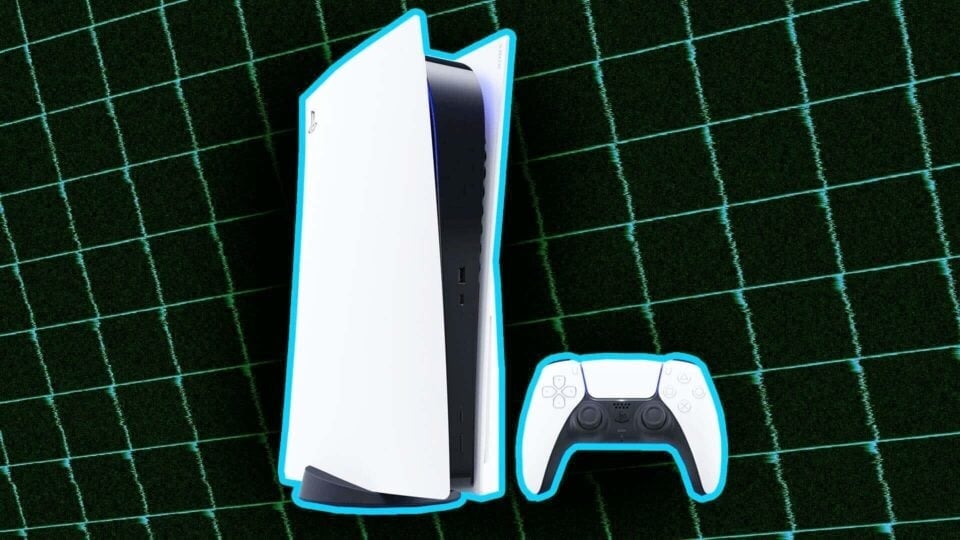
The machine can stand up on its own without the system’s optional $15 stand. Of course, you can also just lay it down.
https://lastchance.cc/yes-the-ps4-can-stand-vertically-without-help-1464567523%3C/a%3E%3C/p%3E
Don’t go crazy with extra wires if you already have a PS3 slim or super-slim
It uses the same power cable.
Be careful with that HDMI jack
Most of the PS4s we’ve used have had zero problems. They run quiet, don’t heat up too much and seem like well-built machines. But we did have a problem with one unit’s HDMI port. A thin piece of metal in the port got raised when we put an HDMI cable in—at least that’s what we think happened. A Sony official fixed the unit by pushing the metal down with a pin. Why’d that even happen? No idea. But just be careful and make sure the port looks like it is clear and unobstructed.
https://lastchance.cc/good-news-about-our-once-broken-ps4-1464813671%3C/a%3E%3C/p%3E
Find the power button
Oh, I’m sure you can find it yourself! I know you don’t need an instructional video.
Connect your console online
Not only do you need an online connection to view Trophies, but you’ll have a much better PS4 experience with the console if you take advantage of even a small portion of its online features: you can livestream games to Twitch or Ustream, capture and share gameplay video to Facebook, browse the online store, and both add online friends and get those friends to display under their real names. Note: As soon as you connect the machine online, it will start downloading the system’s day-one 1.50 update. You can still decline the update, if you don’t want to add the system’s online features.
UPDATE, 11/15: Gaming giant EA says PS4 update 1.50 is causing problems—”causing crashing/freezing and non-responsive connections between the player’s console and their TV Screen”—so consider rejecting the update for now until Sony chimes in and provides a further update. That said, you can take the risk if you’d like. We’ve played games for several days mostly without incident (no issues with Knack, Resogun, Contrast, Killzone: Shadow Fall, and Assassin’s Creed IV, among others; some online issues with Madden and Need for Speed, both EA games) and didn’t suspect the patch was causing our few loading and connectivity problems. EA suggests otherwise. I’ll provide more updates as this situation becomes more clear. We have more details in our main story about EA’s alert.
UPDATE 2, 11/15: EA pulled their warning, saying it was posted in “error.”
Read the social network settings carefully
If/when you connect a PlayStation Network account, you’re going to be asked to make a whole bunch of decisions about whether to share what you’re doing on PS4 with other PS4 gamers and with folks on other social networks. Don’t rush through any of this fine print. In fact, you can read all of itright here to get ready for how public or private you want your PS4 experience to be.
Try PlayStation Plus
The console comes with a two-week voucher for Sony’s online subscription service. Plus is a good service. It offers lots of discounts and new free games on PS3 and PS Vita each month. At launch, the PS4 part of Plus will get you two free games: Contrast and Resogun. Both are good. In fact, Resogun is our office favorite of the three PS4 games available at launch. Plus also gives you access to online multiplayer, which is not free on PS4 as it was on PS3.
https://lastchance.cc/contrast-the-kotaku-review-1462494513%3C/a%3E%3C/p%3E
Get the PlayStation App
Look, I’m not trying to sound like a Sony shill in having you sign up for every service they offer, but the iOS/Android app has a great feature: it lets you use your phone as a QWERTY keyboard. Handy when you have to type a message or input a code into the PS4!
Pick which of the two settings you prefer for the Share button
You can set the Share button to pause the game you’re playing and display the share menu when you tap it (the default setting) or have it take a screenshot. We prefer the latter setting. Either way, a double-press will let you start a manual recording. You’ll be able to access the system’s perpetual capturing of the last 15 minutes of gameplay if you tap the share button (default setting) or hold it down for a “long press” (our preferred setting). We’ve got a video walkthrough of all of these settings here
Check the volume of your controller’s speaker
The new DualShock 4 has a speaker that will play back voice and sound effects in some games. Sometimes the audio is really loud. Sometimes it’s just not something you want to hear. Well, take control! Hold down the controller’s PlayStation button, select Adjust Devices, and lower that volume. See here:
Also, as shown above (and in this round-up of video walkthroughs of various system options), you can set the system’s audio to all play out through your headphones, which is a nice trick if you suddenly want to reduce the amount of noise your gaming is making without turning off your PS4.
https://lastchance.cc/how-to-use-the-ps4s-new-features-1464831424%3C/a%3E%3C/p%3E
Consider getting the camera
We haven’t played around enough with the new $60 PlayStation camera to tell you how valuable it will be to you, but here’s Sony’s official description of it:
PlayStation Camera is a newly developed camera for the PS4 system that incorporates two highly sensitive
cameras that can recognize the depth of space. In addition, users will be able to login to their PS4 system
with face recognition and are capable of using their own body movements or voices to enjoy enabled
games more intuitively. Furthermore, PlayStation Camera is capable of sensing the color of DUALSHOCK 4
wireless controller’s light bar to judge the positions of multiple players sitting in the same room. PlayStation
Camera is also compatible with the PlayStation®Move motion controller, reflecting players’ in-game
movements more accurately than ever in PS4 titles that support it. PlayStation Camera is sold separately for $59.99 (MSRP).
PlayStation Camera also has other uses,
such as enabling players to narrate their live gameplay experiences streaming to Twitch
or UStream, or using voice commands to
launch games or initiate features such as taking
in-game screenshots.
Use the console’s standby mode to charge your controller
Unlike the PS3, the PS4 can charge a game controller when the system isn’t running. But you can only do this if the system has been put in standby mode and a controller is plugged into one of the machine’s USB port. Do this by holding down the PlayStation button on the controller and selecting that option. You will know the machine is in standby mode because the light on the system will change to orange (not right away; give it a few seconds).
Actually, maybe we should mention what the color of the band on the system mean!
BLUE: The system is powering on.
WHITE: The system is on and happily connected to a TV.
ORANGE: The system is in standby mode.
RED: The system is overheating.
PEANUT-BUTTER COLOR: Someone just slathered peanut butter on your PS4’s status light. Better clean that off.
NO COLOR: The system is powered off. Your controller will not charge.
Lower your expectations for PS Vita Remote Play
When it works, it’s awesome. But it doesn’t work in every room and condition we’ve tried itin. Basically, it’s not guaranteed to do what the Wii U can do, for better or worse.
https://lastchance.cc/ps4-remote-play-put-to-the-test-1464725207%3C/a%3E%3C/p%3E
Have fun!
….and if you have more tips for new PS4 owners, please mention them below.
To contact the author of this post, write to [email protected] or find him on Twitter @stephentotilo.