
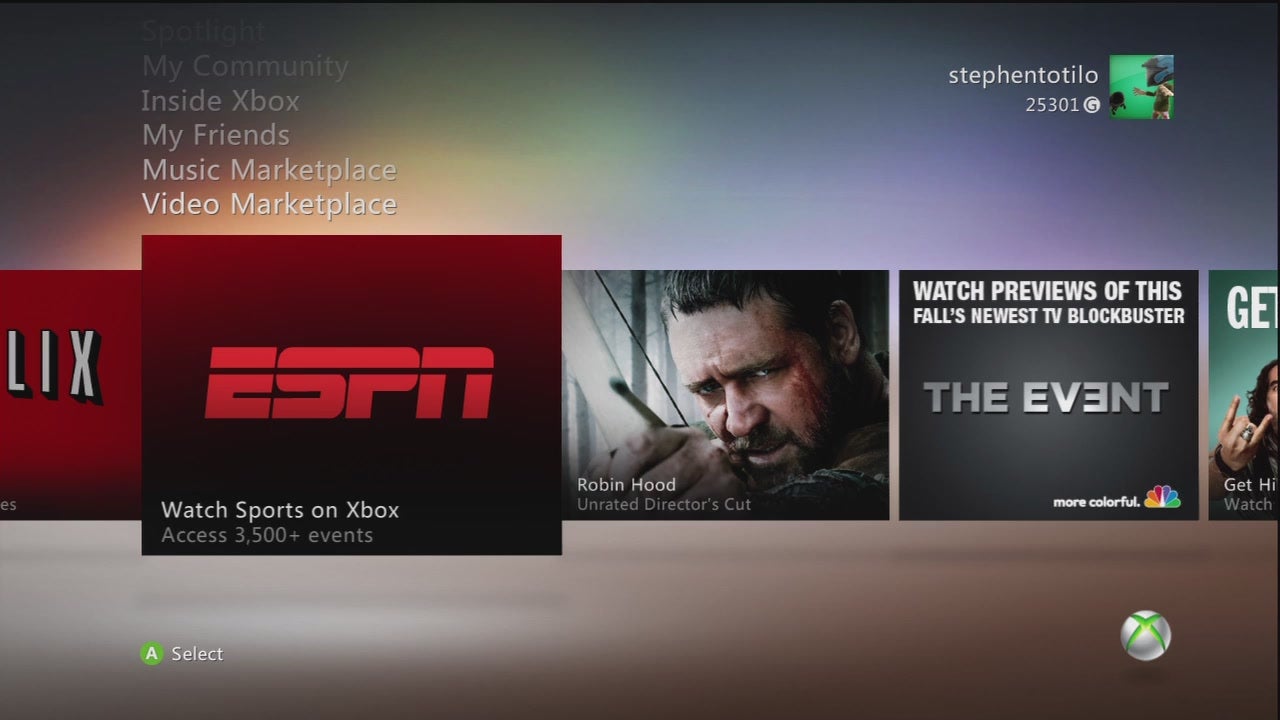
Are you excited for ESPN on your Xbox 360? Check your zipcode. I live in New York City, but Time Warner Cable in Brooklyn does not support ESPN3.com, so my Xbox 360 can’t use the ballyhooed Xbox integration.
The video you can see here is captured from my Xbox 360, which is running the new ESPN app on the revised Xbox 360 dashboard. I’m in the beta program for the new Xbox 360 dashboard, which will go live for all Xbox 360 users in November. When it is live, Xbox Live Gold members will, depending on where they live,be able to watch live, streaming sports events, the same streamed on the ESPN3.com website. They will also be able to communicate with friends.
If you don’t live in an ESPN3-compatible area (Neither Denver-based Kotaku chief Brian Crecente nor I do) you can at least use the ESPN app to watch ESPN.com clips. That’s what you see above, running off my console.
Check ESPN3.com’s FAQ to see if you’re eligible to get this service. They have a widget that checks your zipcode and cable provider. The site also shows the latest schedule of events
These are the features for the geographically fortunate:
· 3,500 Sporting Events A Year – Access more than 3,500 live and on-demand global sporting events from ESPN3.com a year, including college basketball, college football and college bowl games, MLB, NBA, international soccer and more.
· Out of Market Games – Catch your favorite college team games. Check out the huge catalog of out of market games and enjoy them on the big screen. To catch a live event during the exclusive preview window, please check out the schedule below.
· The Best Ways to Watch – Enjoy HD programming, DVR controls, games at a glance (more below), plus access to hundreds of clips from ESPN3.com, refreshed daily.
· Games at a Glance – Want to keep up on the latest scores from around the sports world? Games at a Glance provides you with real-time score information using ESPN.com’s score feed without leaving the game you’re watching. Access Games at a Glance by pressing the “Y” button and scores for leagues and games currently in the ESPN.com feed are instantly available. Select “Watch Live” or “Watch Replay” to jump straight into that game.
· Predict the Winner – Pick what team you think will win. While watching selected games in college football, college basketball, MLB, and NBA, you will be prompted to vote for your team of choice. You’ll also see the percentage of votes among the Xbox LIVE viewing community.
· Voice Chat – Voice chat with up to seven other friends while watching the big game – it’s like they are on the couch next to you (note that during the preview you will only be able to chat with fellow preview participants).
· My Sports – To customize your ESPN on Xbox LIVE experience, click on the “Events, Highlights and More” slot on the homepage and browse by sport to pick a specific league that you want to follow for the season. The league that you select will now automatically display in your My Sports Channel.
Sounds cool. Hope you can enjoy it. And if so, where in the world do you live?
UPDATE:
Good news for Time Warner Cable subscribers like me. That company’s Internet arm agreed to provide ESPN3.com access earlier this month. That obviously hasn’t taken effect yet but hopefully will by the November date when this dashboard update goes live for everyone. For those of you still checking to see whether your Internet service provider allows you to access ESPN3.com content, in addition to the link provided above, you can consult this list of supporting providers.
Finally, our friend Jason Chen at Gizmodo has the geographical advantage of being able to check out ESPN3.com from his California abode. Clips of the fully-functional ESPN3.com app, with live streaming events, can be seen in his video walkthrough of the new dashboard
https://gizmodo.com/the-new-xbox-software-is-here-and-its-better-5650455













