The current Xbox Core controller might be one of the best Microsoft has produced, but it’ll set you back at least $130. Meanwhile, the regular official gamepads tend to go for about $60 brand new. You might be wondering if you can save a few bucks by getting something a little south of that number. Or you might be interested in trying out more modern pro controller features like assignable rear buttons and adjustable trigger ranges, but aren’t yet ready to spend over a hundred dollars on an Xbox Elite or Scuf controller.
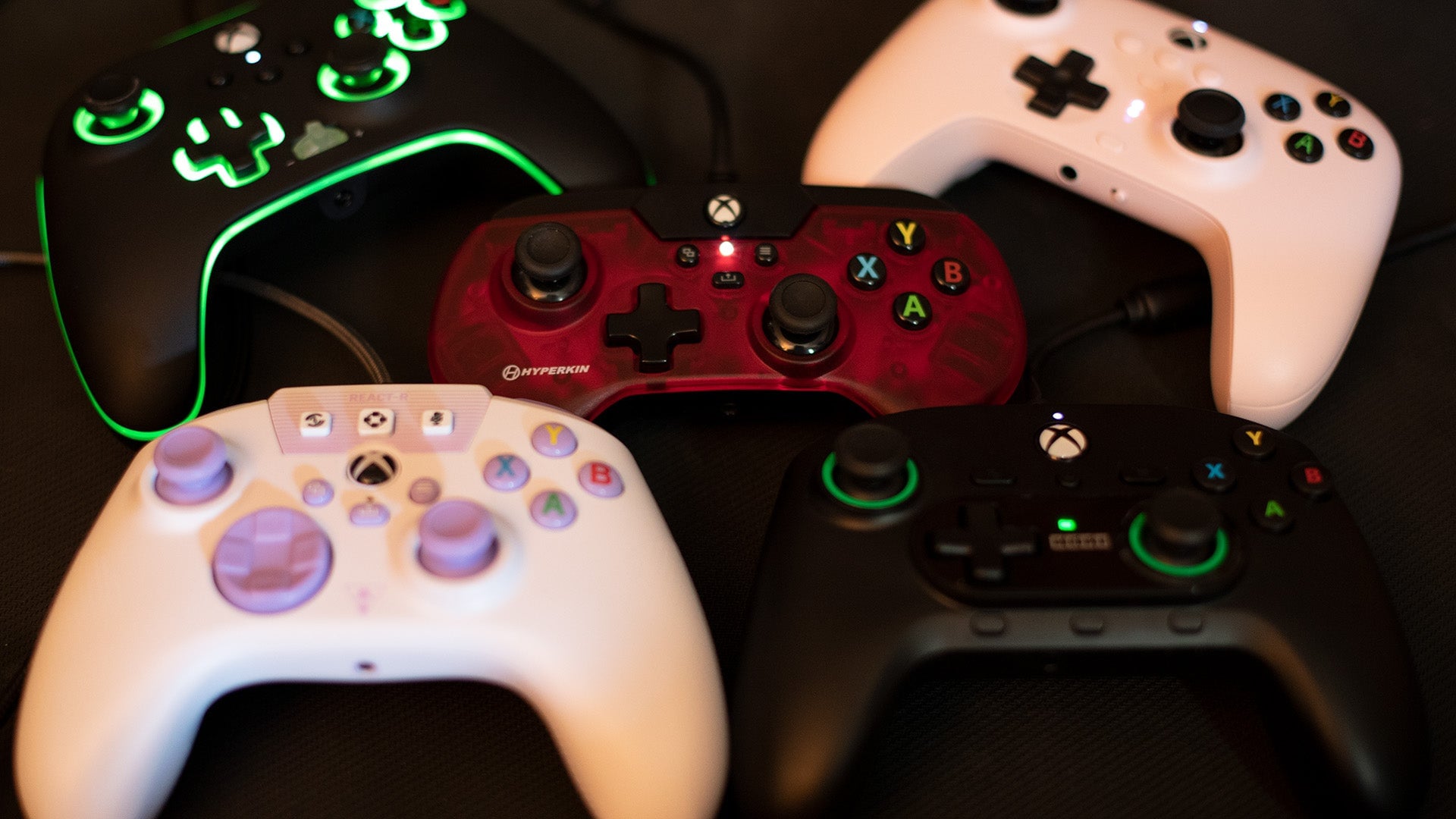
There are any number of reasons for looking into cheaper controllers, and here I’m going to lay out the pros and cons of some of the most common options out there for Xbox and PC. While the 8BitDo Ultimate Wired controller stands out as my personal favorite here, each of these might be more or less compelling to you for different reasons. The “best budget controller” title is going to come down to what your needs are.
The good news is that if you’re looking to save some money, you can in fact get a great budget gamepad on Xbox or PC. Most of the devices on this list are solid enough to use as your main controller, and any of these can serve as a suitable backup for when your main controller gives into the inevitable entropy known as “Drift.”
But as we’re talking about budget controllers, we ought to set some expectations for the one potentially deal-breaking limitation that these all have.
If wireless is make or break for you, you’re gonna have to buy a more expensive gamepad than anything here. Wireless functionality is something that none of these controllers (even my favorite of this lot) have. Because of Microsoft’s proprietary wireless technology, that feature is limited to official Xbox controllers from Microsoft and select others. But don’t close your browser yet! I get it, we’ve been with wireless as a standard now since the Xbox 360, so why would you want to go back? Well, there are a few reasons.
If you’re a PC gamer, wireless might not be that big of a deal as your machine could be close enough for it not to matter. And while a cable certainly sucks for chilling on the couch and playing some Xbox, most of these have what I’d consider to be a sufficient amount of length for average scenarios, and the cables are certainly as long as anything you’d probably get packaged in a more expensive, wireless controller. In some cases you can purchase longer cables if you desire.
Honestly, if it’s a backup controller you’re looking for, having a reliable wired gamepad might be a decent thing to stick in a drawer for a rainy day, or spontaneous couch co-op.
Also, none of these are speciality controllers (though one does straddle the line between modern design and retro-novelty). These aren’t fighting gamepads, or retro-style ones with functions reserved for silicon dinosaurs of past generations. These all focus on the functions necessary for your average AAA game. You can play any modern game on these with all the buttons supported and few extra functions that you don’t need.
I played entirely on PC to test these gamepads out, either on games in the Xbox app or Steam. Steam is kind of like a skeleton key of controller compatibility (especially if you launch it in Big Picture mode). I had no issues with all but one of these controllers, and they are all certified to work on an Xbox console.