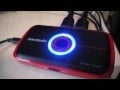
Late last year I had a chance to check out the Live Gamer HD, an easy-to-use video capture card from AverMedia that allowed me to capture 1080p video from just about any HDMI source using a simple pass-through connection. It was the easiest hardware solution for capturing and streaming game footage I’d come across. I say was, because now AverMedia has released the pocket-sized Live Gamer Portable, enabling HD recording without ever having to touch the insides of your computer. Come watch me stream with it!
https://lastchance.cc/avermedia-live-gamer-hd-the-kotaku-review-5955687%3C/a%3E%3C/p%3E
The Live Gamer Portable suffers no such drawback. It doesn’t need to be inside of a PC to capture video. It’s a box with a USB-powered H.264 hardware encoder built in, which grabs your video and audio signal as it passes through it. It doesn’t even have to be connected to a PC to capture video.
With a class 10 SD card and a USB power source — your game console or any USB device charger you might have lying about — the Live Gamer Portable will record 720P video at 60 frames per second. If the space on the card is running out, it’ll flash. If there’s an error, it’ll flash differently. Connect the cables and push a button — that’s all there is to it.
This is a device that you can carry in your pocket (it comes packaged with a pouch, and you know I love pouches), pull out at a moment’s notice and — in the time it takes to unplug and replug in an HDMI cable — record game footage. I once sat in on an E3 meeting with a large media outlet in attendance. They spent ten minutes setting up a device to capture demo footage. If they had access to the Live Gamer Portable back then, I probably wouldn’t have fallen asleep during Capcom’s presentation of Dead Rising for the Wii, not that I missed anything.
If you want to stream video or capture up to 1080p video at 30 frames per second, you’ll need a PC to connect the box to. What’s great about the Live Gamer Portable is that since it’s external, you can hook it up via a laptop, which is still pretty portable if you ask me.
As with the Live Gamer HD, the Live Gamer Portable uses AverMedia’s RECentral software, offering three levels of setup, depending on your understanding of codecs and bitrates and such.
You’ll notice the TimeShift indicator in the screen below — the unit can act as a sort of gameplay DVR, eliminating missed moments by allowing the user to begin recording from the past.
Here’s a quick overview of the unit setup…
https://www.youtube.com/watch?v=JGs7MR7ZM1o
…and here’s the few seconds of footage I took while recording that video.
https://www.youtube.com/watch?v=CFWPeBbiL5I
You probably want to see a little more footage than that. Here’s nearly four minutes of random gameplay from the Wii U version of Injustice: Gods Among Us. This clip was uploaded directly from the 357MB capture file to YouTube, or else I would have edited out the bit where I died to look better in your eyes.
https://www.youtube.com/watch?v=gW48J2qhNdE
And then there’s streaming. I’ve a feeling I am going to regret doing this, but I’m going to spend the hour after this article is posted streaming live via Twitch.tv. I am a complete novice at streaming so if the video quality is horrible, blame me and not the device. At the very least you’ll get to hear me talking for an hour — the software supports a voiceover mic, and will even record the mic audio as a separate file for editing goodness.
Update: The stream is over! Thanks for watching.
Watch live video from bunnyspatial on www.twitch.tv
The Live Gamer Portable or its internal cousin aren’t the end-all, be-all of video capture and streaming. There are people that spend a couple thousand dollars are their equipment, tweaking the settings to perfection, making sure every aspect of their broadcast/video is as high quality as it can possibly be.
Available on Amazon for $179,99, the Live Gamer Portable might not the first capture solution professionals turn to, but for folks like me that just want sharp, high resolution video without hassle, it’s pretty much perfect. With its ability to quickly snag footage from an HDMI source without requiring a PC, this little wonder is never leaving my side.
To contact the author of this post, write to [email protected] or find him on Twitter @bunnyspatial