Last year, I reviewed a Roccat keyboard and it wasn’t the greatest. Let’s see if this year things get any better.
I’m taking a look at the Ryos MK Pro, which doesn’t appear to be brand new, but is still the company’s “flagship” gaming keyboard. After a couple of days of constant use, for both Kotaku stuff and heavy gaming, here’s what I thought.
It’s solid. Very solid. It’s all very sturdy and well-made, making me think this would be super durable if you’re going to be moving around all the time. In some ways it’s too solid, though; there’s an enormous palm rest sticking out that you can’t remove, which means this takes up a lot of desk space.
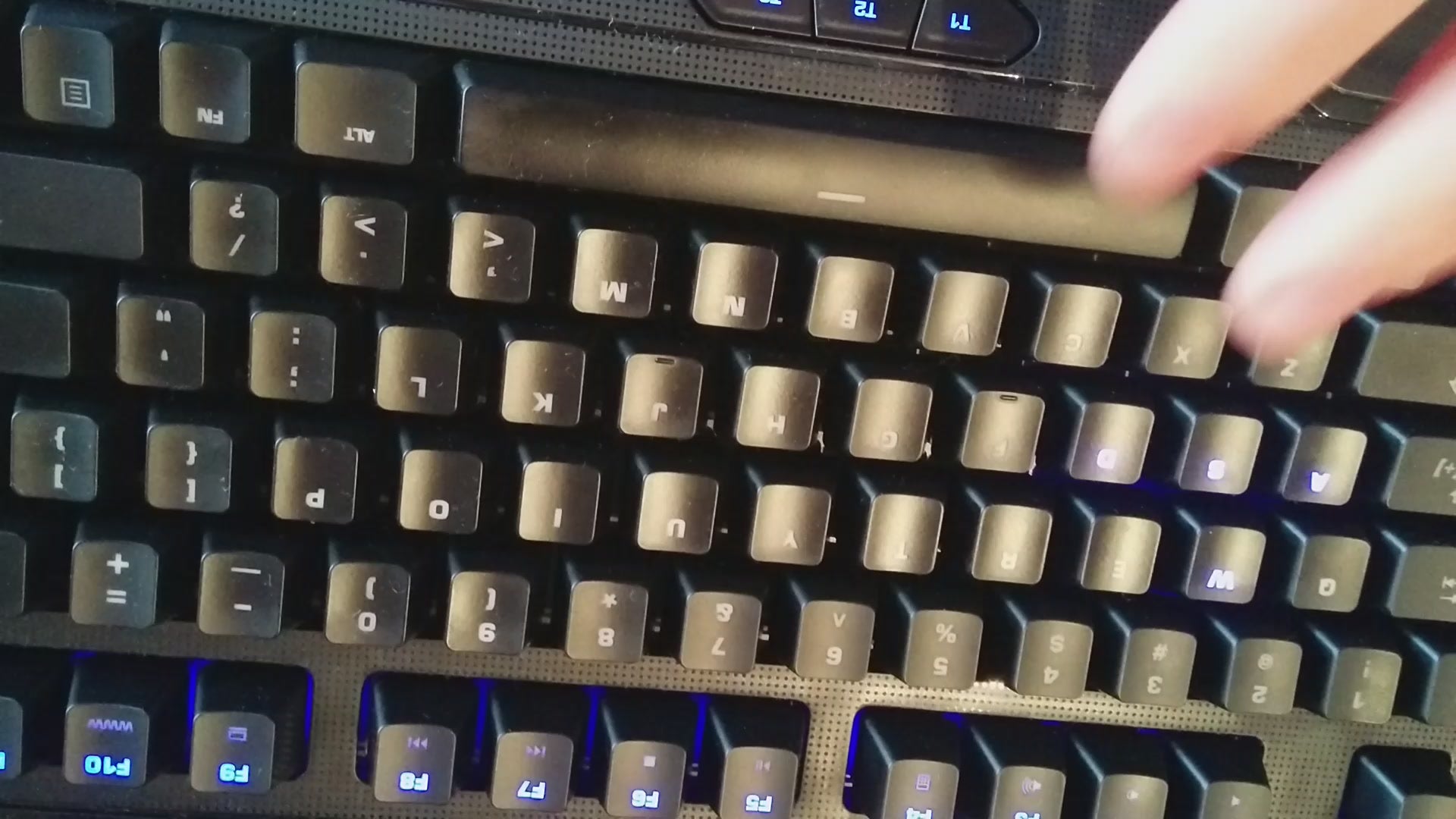
I think we’re at peak customisation for keyboards. All that’s left now is to change out dollar signs for pounds, because this lets you do pretty much everything else. Configuration, colours, the works. It can store over 500 macros in memory, and you can add a secondary function to every key on the thing. Between all that plus five dedicated macro keys and three more switchers down by your thumb, unless you’re playing a commercial flight sim, you’re probably all good.
I’d have liked to see a dedicated slider/scroller for at least volume. I adjust the volume of my PC all the time when switching between YouTube, music and games, and having to hold down function + F3 or F4 every time I wanted to tweak things got annoying, as I’d have to use both hands.
Roccat’s marketing says the Ryos MK Pro is coated in “an innovative, smudge-proof glossy surface”. It may well be, but it doesn’t actually work that well. I only used the keyboard regularly for a couple of days yet by the end of it the space bar and other commonly-used buttons were as shiny and smudged as they are on my other keyboards.
The Ryos MK Pro is available in four different Cherry MX switch colours. Great for variety, but my review unit shipped with black ones. My worst enemy. I prefer the clicky feedback of blue, so I was constantly struggling with mashed keys and typos. If you’re ever going to buy one of these, make sure you get your key colour choice right at the checkout.
I like the Ryos MK Pro. It’s tough, has excellent build quality and you can customise it however you want. Whether it’s worth the premium price (you can get one for around USD$170) they’re asking for one of these is another matter; if you’re not going to go bananas with all those macros, and just want a durable, responsive keyboard, I think you can do just as well with something around the $100 mark from a company like Razer, Corsair or Gigabyte.
If you want to check out the specs on this thing, here’s the product page on Rocca’s site