What is an Xbox? It’s a question that’s only been asked twice in human history. The first time was in 2001 when engineers at Microsoft turned PC components into a home console. The second time is now, as Microsoft moves beyond that hardware to new frontiers to fuel its now-gargantuan game publishing apparatus. One of those frontiers is PC gaming handhelds, and the ROG Xbox Ally X is the first flag planted clumsily in that soil. It’s a step in the right direction but not a convincing one. It’s a half-measure at best, and one that will give you sticker shock.
Lets get this out of the way: The ROG Xbox Ally X costs $1,000. That gets you an AMD Ryzen Z2 Extreme chip, 8GB of extra memory, and an 80wh battery compared to the $600 Xbox Ally model’s Z2 A processor, smaller memory, smaller battery, and smaller storage (512GB of SSD instead of 1TB). Microsoft only sent me the Ally X for review, so I can’t tell you how the two match up or if the upgrade is worth it. What I can tell you is that $1,000 is a lot to spend on any handheld, especially a PC gaming one that still feels this compromised.
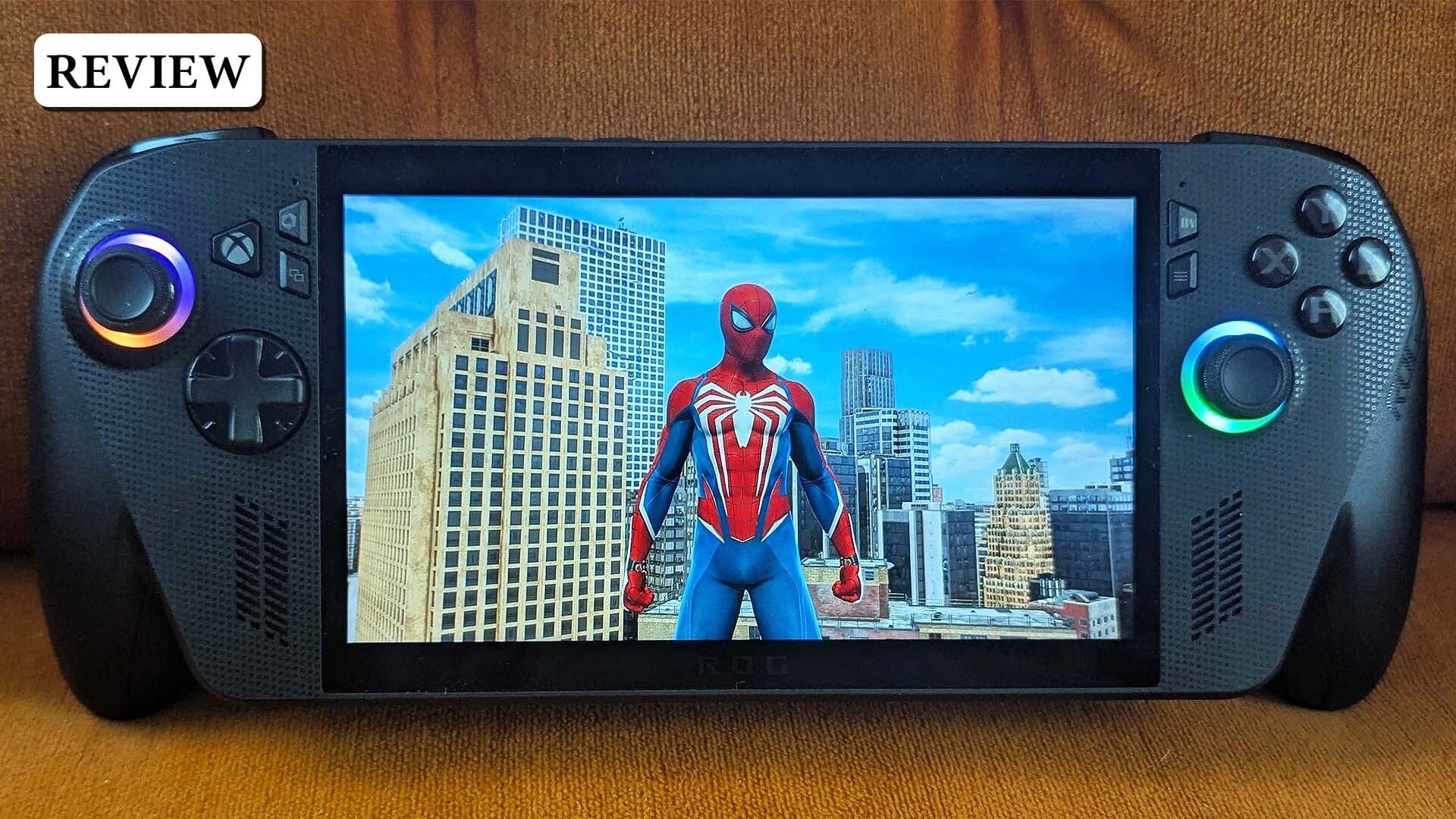
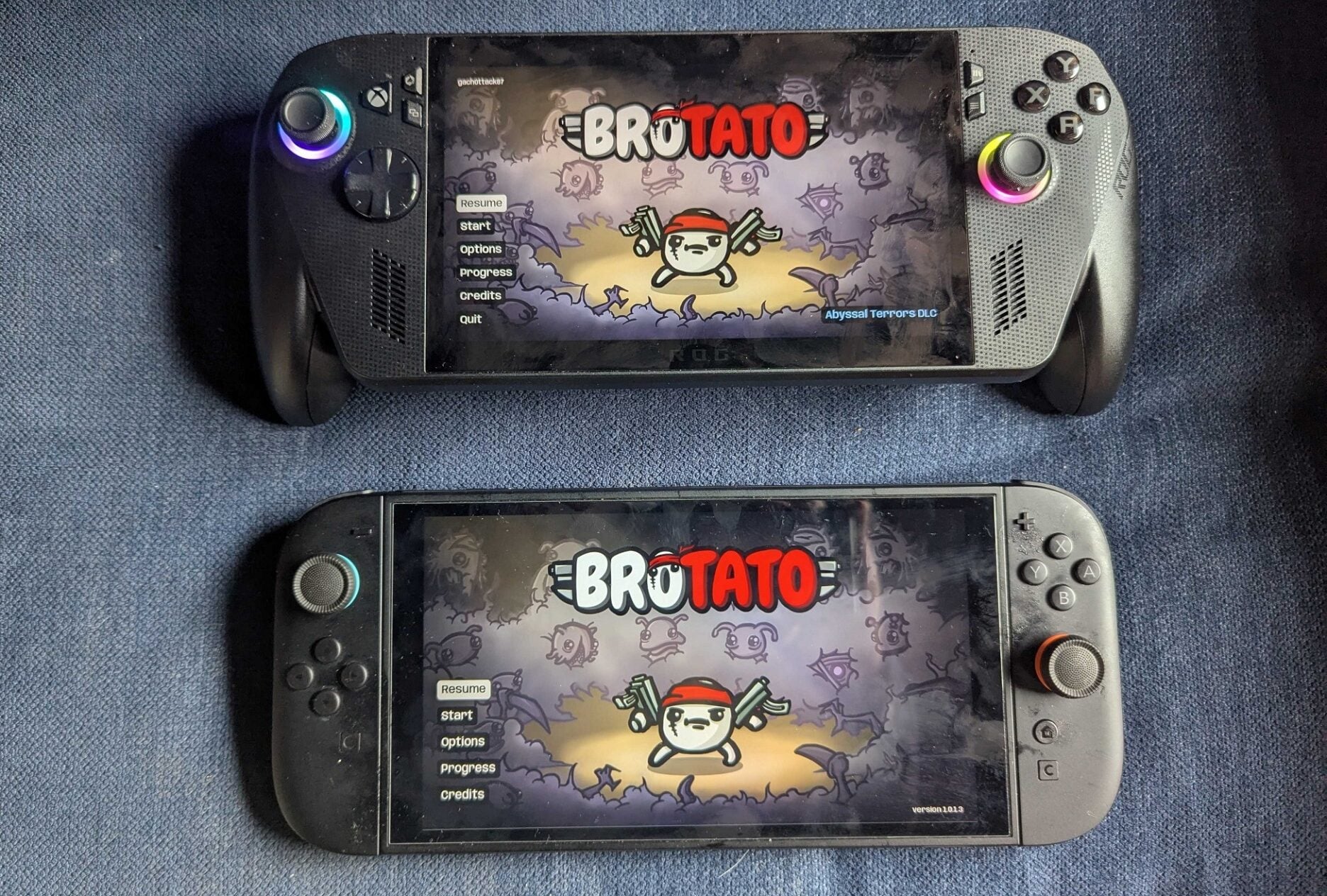
It’s more than double the price of a Switch 2, and $450 more than the base Steam Deck OLED. At just 7 inches, the 1080p, 120Hz screen is still smaller than both of those cheaper alternatives. The new Asus-manufactured handheld, like the original models, still comes with an enormous bezel that makes it look like a cheap tablet. Nothing about the Ally X shell, the flexing of the screen when you press down on it, or the density of the components inside gives the feeling of a luxury gaming device.
It does feel surprisingly light and comfortable in my hands, though. It’s one of the heaviest handhelds around at 1.57 pounds but the distribution of the weight makes it hardly feel noticeable. The new Xbox controller-like paddles on the ends are far and away the biggest improvement the Ally X makes. They look silly. They are silly. They are also the most comfortable built-in grips of any handheld I’ve played. The biggest letdown, on the other hand, might be the new modified Windows OS.
A pricey Xbox skin over a familiar Windows experience
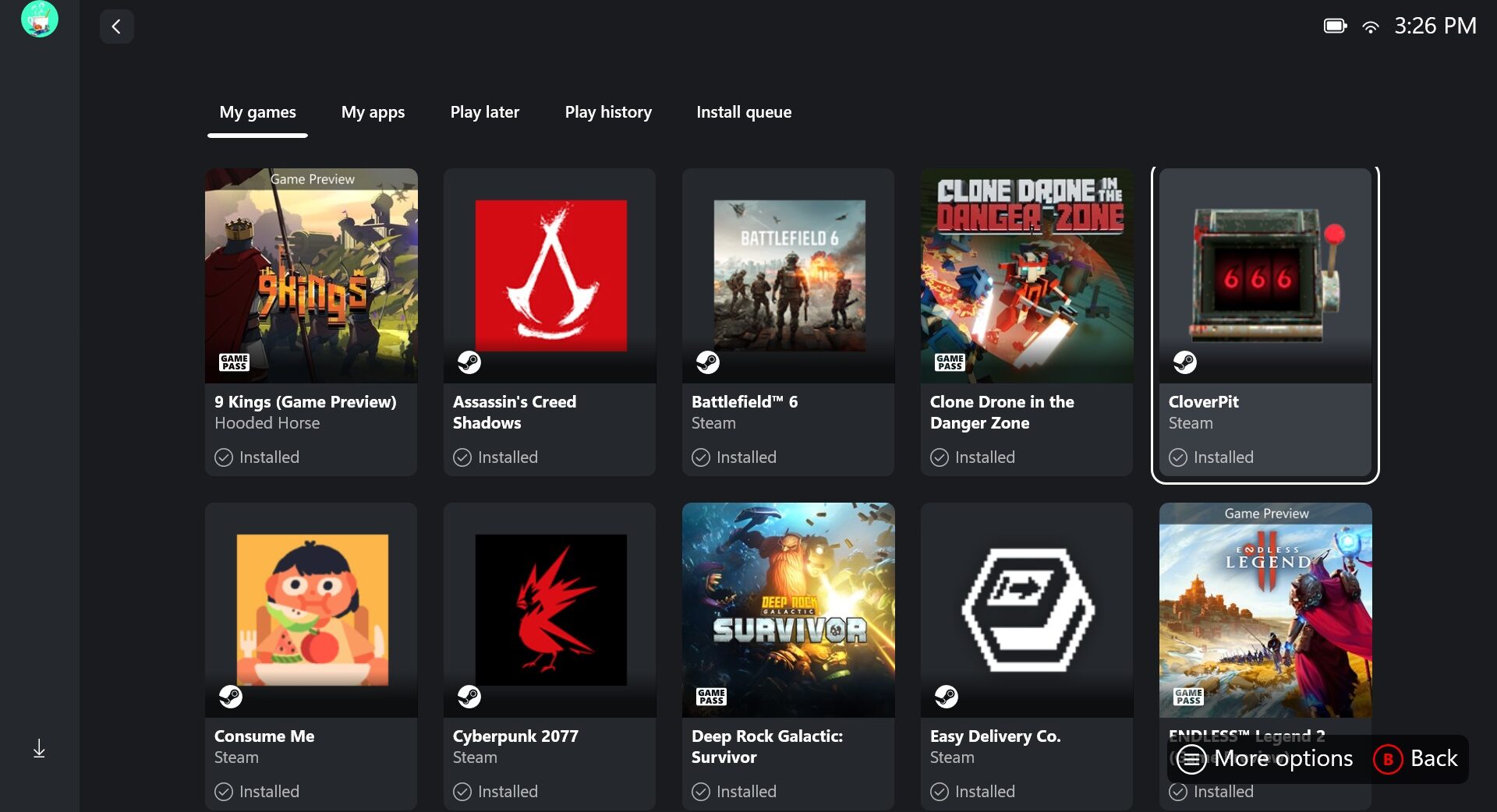
The Xbox Ally X has a unique job and it doesn’t do it particularly well. Its central task is to organize all of your PC games from all of your different launchers in one easy-to-navigate menu that lets you swap between them like your tabbing across the Xbox console dashboard. Bonus points for the Xbox Ally X being a portable device that lets you play the biggest blockbuster releases on decent-to-good settings from the comfort of your couch, bed, or anywhere else that isn’t the desktop PC you already spend too much time ruining your posture in front of. The Ally X gets a decent grade on the latter. Unfortunately, it mostly bungles the former.
Out of the box, the handheld is still very much a Windows device. Only after a couple hours of me fiddling around with downloads and updates did the Ally X have everything it needed to launch the full-screen Xbox experience. That’s the device’s main selling point, at least until the modified OS ships to other PC gaming handhelds in early 2026, and it’s not a great sign that it doesn’t turn on the first time with it ready to go for October 16 launch.
Once installed, you never have to think about Windows again, except for every time there’s an error screen, or you switch to one of the non-Xbox launchers like Steam or the Epic Games Store. Games that require you to log into a separate company’s portal to access them also interrupt the experience. Playing Cyberpunk 2077 on Steam required opening the Valve-owned storefront followed by the proprietary CD Projekt Red launcher followed by the actual game’s main menu. Not all of it is Microsoft’s fault, but it’s just one example of the limits of the more gamer-friendly version of Windows the company is touting.
Credit where it’s due: there are some really cool features here. The Ally X comes with a dedicated Xbox home button. Pressing it pulls up a cross-bar where you can quickly access shortcuts for recently played games, the main storefronts and launchers, and a bunch of settings menus and gameplay capture tools to tinker around with. Hold the Xbox button down and you’ll pull up each window that’s currently active on the device. You can toggle between these with the touchscreen or the bumpers and then quickly close any of them out by holding down the “X” face button. The sleep mode also works nicely. Press the power button and the screen goes off. Press it again 12 hours later, enter your pass code, and your game will be right where you left it.
Near console-like game performance
These are the parts of the Ally X that remind me of the best parts of the Xbox Series X/S. Quick Resume was a small addition this console generation with a big impact. Microsoft’s consoles store suspended states for multiple games so that you can quickly swap between them without having to do all the laborious work of saving, shutting them down, and starting them back up again. You can see hints of that innovative thinking in the Ally X’s retrofitted gaming layer for Windows, but it feels incomplete right now. It’s less a deep tissue renovation than a fresh coat of paint that missed some spots and is already peeling in others.
Let’s talk about games for a second. I’m not here to do benchmark analysis. I played everything from Battlefield 6 and Assassin’s Creed Shadows to recent smaller hits like Consume Me and Megabonk and they all ran somewhere between good enough and great. On big-budget AAA releases I could get around 40fps on medium graphics settings or higher with frame-generation. Performance and visual detail was consistent and nothing ever crashed on me. At the same time, there was never a moment of “Wow, I can’t believe [insert game here] looks this good in my hands!” Anything from Hades 2 or Hollow Knight: Silksong on down runs perfectly, and truth be told I spent most of my time playing indie games from Game Pass and Steam.
That’s part of the conundrum of considering a $1,000 PC gaming handheld. Sure, you can run through bombed out buildings, land some kill shots, and take objectives in Battlefield 6. Despite the great ergonomics and dutiful performance, however, this isn’t where I want to spend most of my time playing that type of game. The same goes for cinematic blockbusters like Spider-Man 2 and Ghost of Tsushima. These Sony exclusives are technically available for the first time ever on an Xbox-branded device. Still, I’d prefer to bask in those worlds on console or desktop (also there was some weird visual hitching in Spider-Man 2 that I couldn’t quite figure out how to fix). The Ally X might be the closest to replicating a PS5 or Xbox Series X gaming experience in a handheld thus far, but it doesn’t quiet feel revelatory enough to justify the jump yet.
That leaves two alternatives. The Ally X is either a $1,000 box to play $20 indie games you can run on the 8-year-old Switch, or it’s a pricey accessory that extends the traditional PC and console gaming experience beyond a single room and screen. The Ally X is surprisingly good in that role. Cloud data syncs seamlessly back and forth between it and other devices you can play your library on, and cloud gaming runs smoothly enough to be a meaningful option for accessing a vast library of Xbox console games that aren’t natively available on PC, even if it’s still far from being a satisfying solution.
The Steam-sized elephant in the room
Microsoft has updated some PC games in its store to have little badges that let you know how well they’ll work on the Xbox Ally handhelds. For whatever reason, though, there are plenty of listings, including Minecraft, that still don’t mention it at all. The Outer Worlds 2 is “handheld optimized.” Assassin’s Creed Shadows is “mostly compatible.” Silent Hill F warns to “check minimum requirements.” Sea of Thieves, meanwhile, will “perform great on your device.”
What checking for these little badges really drove home for me, however, is just how many games aren’t available in Microsoft’s PC gaming store at all. Even if you want to stay in its ecosystem as much as possible, you’ll still have to venture to other storefronts for big games like Monster Hunter Wilds and Metal Gear Solid Delta: Snake Eater. And these store pages offer no help or promises for how the games will run on Ally X, in addition to making you deal with the still-cumbersome process of swapping between the Xbox hub and places like Steam.
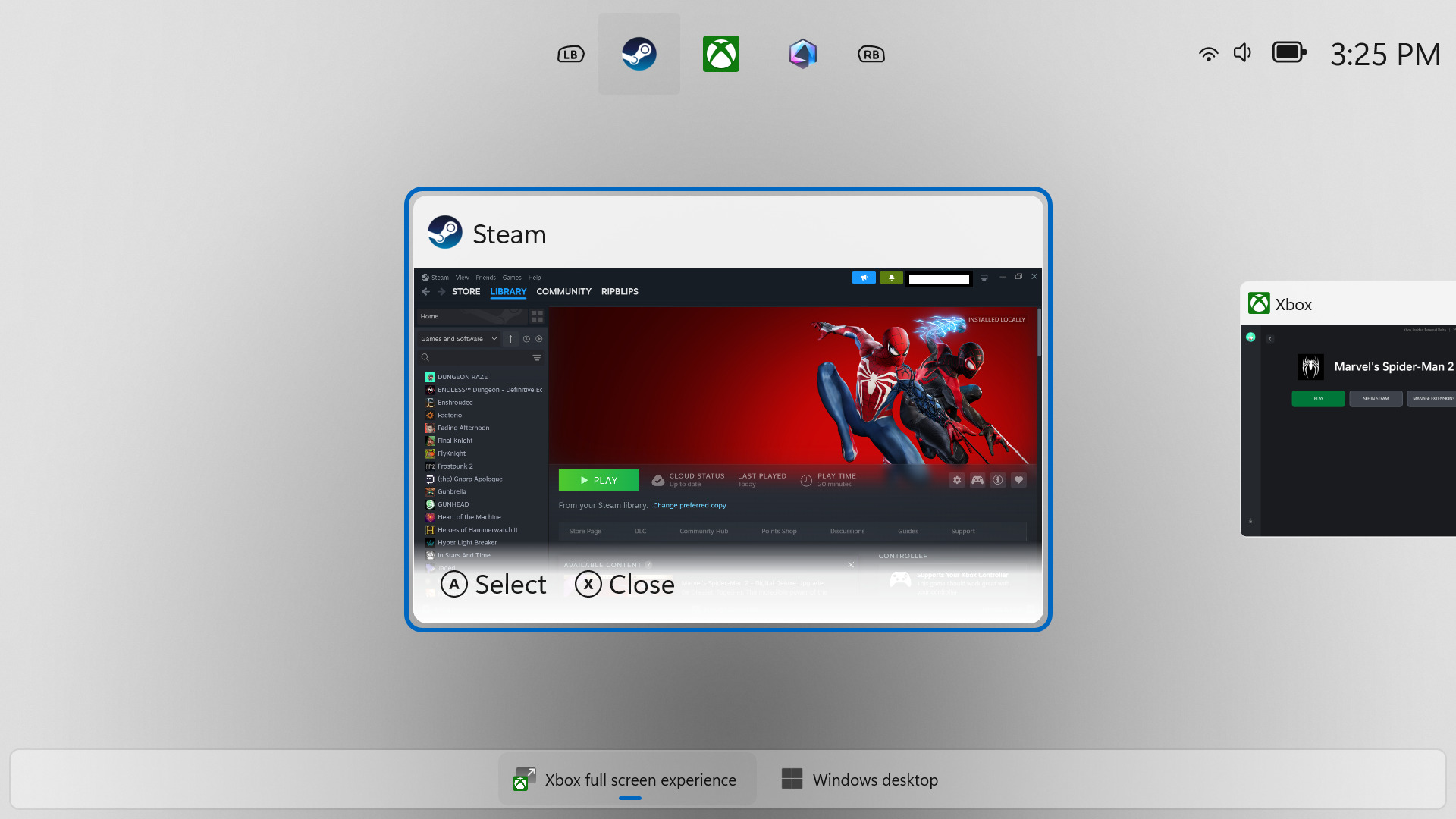
For all its neat ideas, perhaps the most damning thing about the experience of actually navigating the Ally X is how none of the new, Xbox-centric modifications make it feel nearly as good as Steam Big Picture mode, which would occasionally accidentally take over my screen when I pressed the wrong combination of buttons. When that happened, my eyes would immediately relax. The controls immediately felt snappier. Even on the Ally X, Steam still feels like it’s winning the PC gaming handheld race. It left me pining more for what the $1,000 version of a Steam Deck might look like than what a more seamless, feature-complete Windows gaming experience could be.
I went into my time reviewing the Ally X hoping it would check all of the boxes and become the unquestionable standard bearer for gaming in this form factor. Instead, it’s hard to recommend to anyone who doesn’t already have a massive Microsoft PC gaming library, or have their heart set on being a guinea pig for a Windows gaming experiment that’s still very much a work-in-progress. What is an Xbox? I’m not sure anymore. But it’s definitely not the Ally X. At least not yet.