Learn to use the performance overlay to your advantage
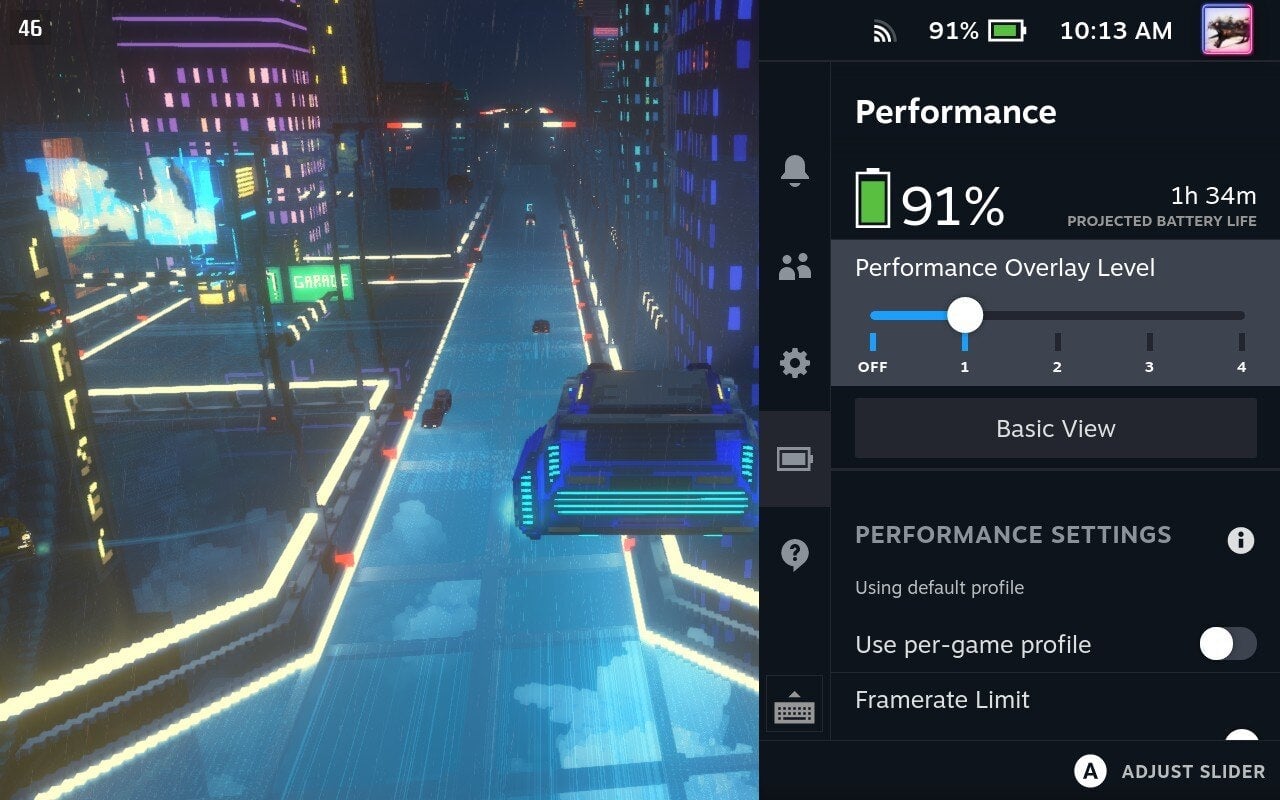
If you’re coming to the Steam Deck from a console background, good news! The Deck will often just feel like using any console when it comes to launching and playing games. However, the Deck truly is a PC in a console form factor, which can mean some roadbumps when it comes to playing older titles (as it often does on a fully-fledged PC). But it also affords you some advantages, namely when it comes to getting your games to play the best.
The performance overlay is a pretty handy set of tools and you don’t need a degree in computer science to make use of it. The first, and most simple, is learning to use the framerate counter, as this will help you dial in the perfect settings for your games.
On the right-hand side of the Deck, you’ll find the “…” menu. Valve calls this the “Quick Settings” button. I call it the ellipsis button. Forgive me, I’m a recovering English major.
Under the Battery icon, you’ll see the Performance menu. Move the Performance Overlay Level to the first position on the slider to get a simple number that shows how many frames-per-second your game is getting.
If you’re new to counting frame rates, generally the higher that number, the better your game will run. Granted, there are different settings to consider like resolution and specific graphical options, but if a game isn’t looking or playing the way you want, the first thing to check is how many frames your game is hitting. Generally speaking, anything 30 frames and above will do the job, but you also want to make sure that average number is relatively stable. The Deck can’t exceed 60 frames per second.