Check how much time your battery has left
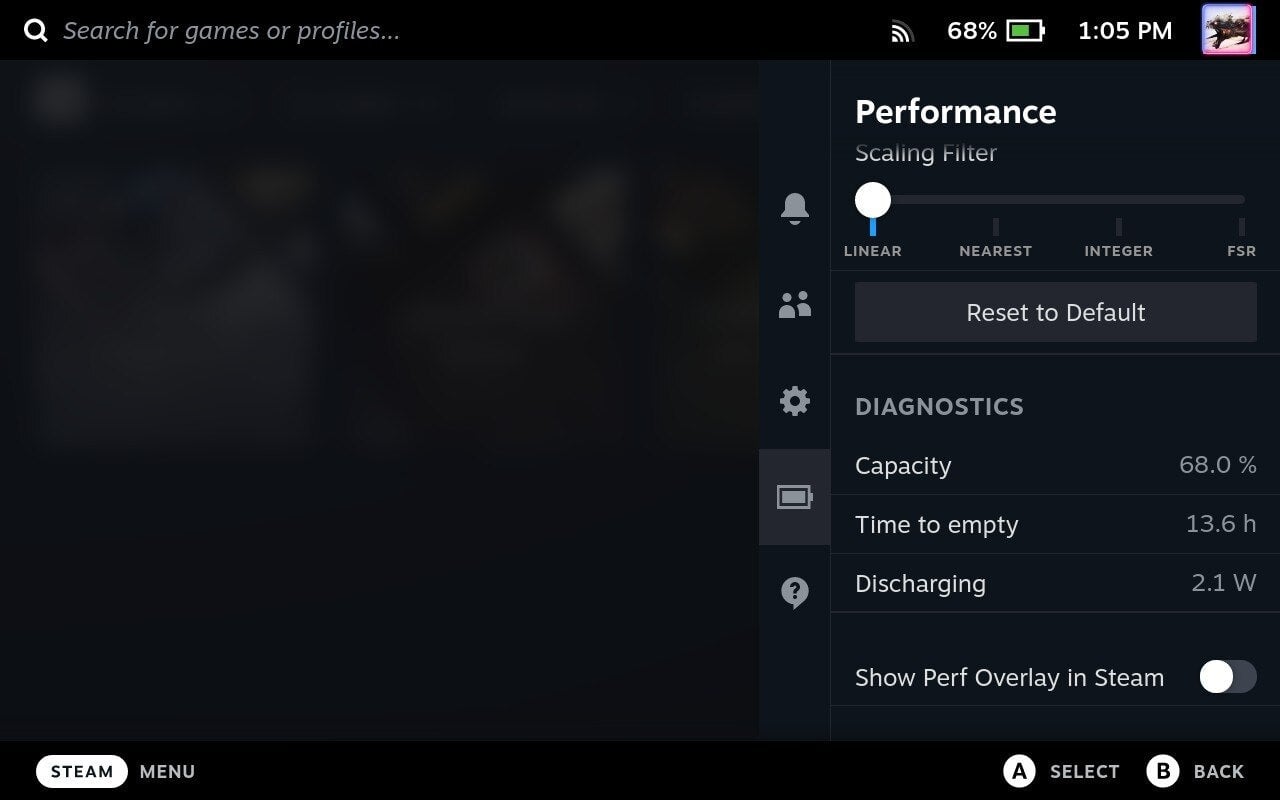
To see how much time you have available on your battery, hit the Quick Settings button and navigate down to the battery icon. Enable the Advanced View and scroll down to Diagnostics. The key readouts here are your battery’s current capacity and its time to empty.
As similar functions on laptops and smartphones work, your battery’s “time to empty” is an estimate at best and might not always fully line up with the amount of time you’ll actually get, but the Deck is usually fairly accurate in this regard.
The Steam Deck is a wildly impressive and powerful machine, especially considering that it’s secretly a Linux-based operating system stealthily tricking your Steam games into thinking they’re running on Windows. Most of the time, you’ll have a great gaming experience on the Deck, but these tips will help you tailor the experience a bit more and get a handle on some more unwieldy games.