Check for OS updates (and choose which OS channel you want)
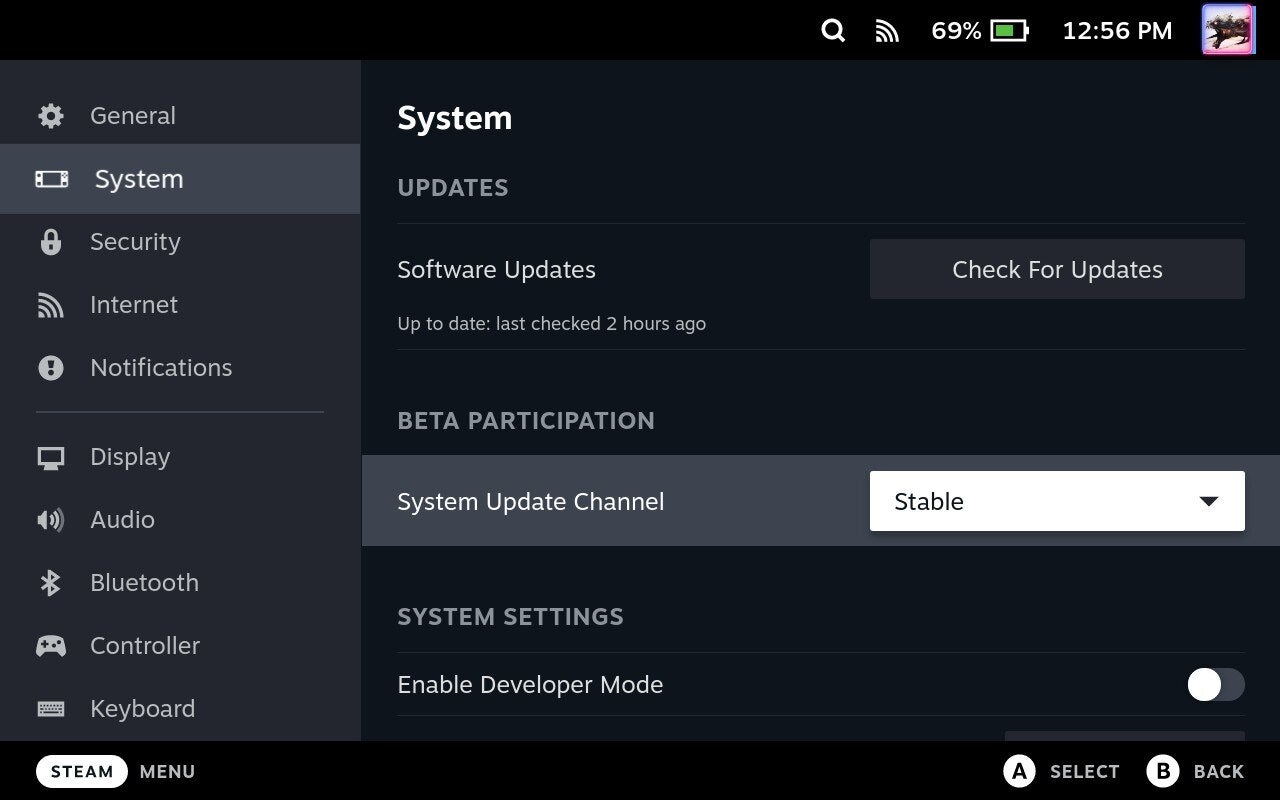
Valve pushes out updates for SteamOS, the Deck’s operating system, pretty often. You can check what updates are available by hitting the Steam button and navigating to Settings.
In Settings, you’ll find a “Check For Updates” button under “System.”
If you like to experiment with new features before they launch, however, you can opt into two alternative OS branches, Beta and Preview. Note: Experimental features might cause system instability or lead to crashes, so if you want to ensure the most reliable of possible experiences on the Deck, just double-check that you’re on the “Stable” channel. For an average user, this is the best option.
The System area of the settings is also where you’ll find the option to format an SD card.