I was designing a user interface for someone else’s social game the other day, and I was completely oblivious that I’d just recommended a feature that Just Would Not Do.
Usually, I’m pretty good at never recommending these features—that’s my Area Of Expertise: I recommend Features That Will Definitely Work and then suggest tweaks until they feel Good Enough For Me. I am a fairly critical person (single at thirty-two, I have not had a girlfriend in literally 10 years, I eat the exact same meal six times a day, I often will listen to the same song on repeat for an entire day), and the giving-in of my critical faculties usually manifests itself in what I like to call “supertolerance”. My “joy” is finding things I can tolerate, “loving” them when I do find things I can tolerate, and being constantly mindful of how best to avoid the things I can’t.
One of those things I can tolerate: Apple products. That’s not to say I am a devout Apple fan-zombie. It’s just that everything else is so . . . ugly, and clunky. When I saw what Vizio’s Apple-aping personal computer lineup looks like, as a person who has read all of Steve Jobs’ biography and is thus familiar with the sort of suffering he’d feel if he saw them—I’d wish that on no one—I honestly felt sort of glad for a couple of seconds that he was dead.
https://gizmodo.com/the-new-vizio-pcs-and-notebooks-are-worthy-of-apple-5874294
So: I am so good at tolerating Apple products that you could definitely say I prefer them, and I suppose you could say I like them.
So we were talking about a user interface.
“We could make that a swipe with two fingers—” I started to say.
“—swipe? What, are we using a trackpad, here?”
My face went red. Luckily, this was an audio-only Skype call. (Skype is number one with a bullet on my list of worst interfaces in essential software.)
“Oh. Oh . . . well, I was thinking — for a trackpad interface, yeah, we could build that in.”
“Not everybody has a Mac, you know.”
“In a perfect world!” one guy chuckled (he owns two golf carts).
“And definitely not everybody has a MacBook or newer.”
“And certainly not everybody has a Mac with one of those new multi-touch trackpads.”
“That doesn’t mean we could just put that in there . . . in addition to whatever other control we add.”
“Let’s not confuse people.”
“They won’t be confused if they don’t know it exists.”
The Macbook is where Apple introduced the two-finger swipe. I got a seventeen-inch MacBook Pro in 2006, and literally right up until Apple announced the redesigned MacBook Pros and the MacBook Air, with their wide, luxurious glass trackpads, I had Mac users express amazement whenever I’d use two fingers on my trackpad to scroll down a webpage or a document.
“How did you do that?”
“You just use two fingers.”
“How did I not know this?”
The unspoken answer was that “Maybe you, unlike me, have some degree of tolerance for situations which require effort.”
Though the two-finger swipe was a trackpad gesture I used no less than a thousand billion times per day, it never came up in casual conversations with women at parties or hobos on the bus. I especially never brought it up during interactive entertainment software user interface experience design documents, presentations, or meetings. Even when the iPhone was finished being The Next Big Thing and was, in fact, The Current Big Thing, I never ventured a millimeter toward recommending software designers relegate an input to a motion involving two fingers of the same hand moving together in a straight line. One finger on each hand, sure—man,let’s just leave it at two-finger involvement maximum, and two-hand involvement minimum (they’ll need to be holding the phone (another rule is to never expect or ask the user to set the phone on a hard surface (what if they’re on a train or waiting at a bus stop?))).
Friendly as I myself was with the two-finger swipe, I considered it Definitely Not A Thing. And since I knew not everyone owned a MacBook Pro with a two-finger-enabled trackpad, the two-finger swipe certainly was Not A Thing I’d accidentally recommend in a meeting.
Then, two things happened:
First, social game company executives must have all read the same article in The Secret Wall Street Journal, because they started all individually demanding that the number of icons displayed on screen in their interfaces be cut at least in half.
Second, this year I received The Best Christmas Present Ever: it was a thirteen-inch MacBook Air. We’ll ignore that it might have been a present from myself (so lonely), though I tell you what: it sure was Real Joy I felt when that box arrived at my parents’ house in Indiana the week before Christmas. I never believed in Santa Claus as a kid, and I still don’t, though I think I might have cracked the code re: surprising myself as much as I possibly can by creatively arranging a UPS delivery.
Say what you will about the Apple Computer Corporation: they know how to make you feel good about opening a box and booting up one of their products for the first time. I’d needed a new computer for a while, and here it was. Now I faced the hurdle I knew I’d have to face: every time I ever tweaked around with a newer MacBook Pro or MacBook Air in a Best Buy or Apple Store, my lips inadvertently screwed up as I tried to use the trackpad to manipulate the cursor. It was always too slow. Tap to click was always (inexplicably?) disabled. And the way it’s all just one smooth piece now, with no tactile divider between the trackpad and the mouse button, didn’t sit well with my old-habit-weary fingertips.
Within 45 seconds of starting up my impressive new electronic toy, I had enabled tap to click and increased the pointer speed to one notch away from maximum. Thinking I’d use this thing the exact way I used my old MacBook Pro (that is: all day, every day, for five years), I set “hot corners”—the lower-left corner would show me my windows, and the lower-right would show me my desktop.
This is where I encountered the “trackpad gestures” configuration menu. “Huh,” I thought. “I remember hearing something about this.”
Apple is so proud of “Multi-Touch gestures” that they capitalize the “M” and “T” in “Multi-Touch”, and feature these gestures right at the top of their “What’s New in OS X Lion” index page.
Using gestures, I can scroll a browser window up and down with a two-finger swipe—hey, I know that one already—or I can look a word up in the dictionary by double-tapping it with three fingers. I can also “right-click”—Apple calls it a “secondary click”—by touching something with two fingers. Or I can—
“Son, what the hell is that?”
“It’s a computer.”
“It’s an Apple computer.”
“That’s what it is.”
My dad screwed up his face. My mom was looking over his shoulder and into the living room. She was eating a handful of little crunchy pretzels.
“You’ve got one of those iPhones too, don’t you?”
“Yeah.”
“Your brother’s wife just got one of those,” my mom said. She lowered her voice: “She’s probably going to try to talk to you about it.”
“She also got one of those things you got—a Mack Book? A Mack Pro? A Pro Book?”
“A MacBook Pro?”
“That’s it,” my mom said.
“Boy, look at that. That thing’s slick,” my dad was saying.
“Whatever happened to that friend of yours—you remember that friend of yours? He was your roommate in college.”
“Yes.”
“Yes, that nice little gay boy. Do you still keep in touch with him?”
“We’re Facebook friends.”
“He was nice. Remember, honey? He had an Apple computer.”
My dad was saying, “I will always—always prefer an IBM. Remember when your brother had to borrow that Apple Macintosh from school? Damn thing only had one button on the mouse. What the hell is with that?”
“It’s not about how many buttons are on the mouse,” I was about to say, when my dad peered over the lid of the display and eyed the finer details of my MacBook Air.
“Boy, that screen is bright. What in the hell—it doesn’t have any buttons on the mouse.”
“It doesn’t.”
“You can’t right-click, and you can’t even left click. You can’t even click.”
“It’s got a clicker,” I was saying. “The whole thing is clickers—”
He walked away, shaking his head. I thought it over: this is a guy who didn’t professionally use a computer until he was already 40 years old—at which point he’d started using one every day.
I remembered friends of mine, in Japan, lifelong Windows users, in the age before Wi-Fi was everywhere (like serial killers): “Can I check my email for a second on your computer?”
“Sure, man.”
An instant later: “Whoa, what the hell did I do—hey, nice desktop wallpaper.”
“Sorry, the cursor speed is high.”
“How do I get the internet back?”
“Here.”
“Okay, thanks. Whoa—it’s the desktop again.”
“I’ve got hot corners enabled.”
“I don’t know what that means.”
And they would go on not knowing what it meant, even after I explained, “It’s set so that when you move the mouse to a corner, it shows the desktop, or all your open application windows,” and they replied, “Oh, okay”.
Christmas, 2011: I was a Multi-Touch gestures evangelist.
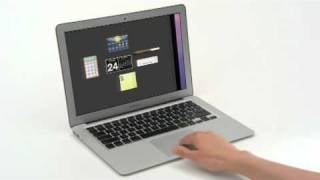
“Look at this.” I showed my dad: “Use two fingers to scroll. Touch with three fingers to move something. Grab the file here; slide it here. One touch. Grab a window at the top: move it around. Spread two fingers to zoom out. Pinch two fingers to zoom in. Flick with three fingers and a thumb to show the desktop. Scoop with three fingers and a thumb to show all applications. Slide four fingers up to see all open desktops. Slide four fingers to the right and I have a calculator and movie showtimes. Slide to the left—and I’ve got my desktop. Touch here and I can maximize this web browser. Now it’s full-screen. Now look at this: swipe this way to go back to the desktop. See this photo? Pinch here, and twist—and it rotates. Just like that. Slide three fingers down and—hey there!—I’ve got an overview of all my open apps, windows, and desktops at a glance.”
My dad was silent. “Well, shit,” he said.
“It’s not a mouse with no buttons—it’s a mouse with a million buttons.”
My dad was silent for a couple of seconds, and then said, “You should get a job at the Apple store.”
I’m sure he meant that as a compliment, though it only made me sit there, sigh for a second, and realize that I am, in fact, not yet rich. Here I am with a MacBook Air and no car. Such is life. On top of that, I’m on a sheet-covered sofa (big brother’s eldest daughter is allergic to cat hair) in Indiana during a sleety, frozen holiday, wondering every third second if I left a stove burner on back in Oakland, California, if my apartment exploded, if Pixar was damaged in the explosion—and my little brother just got married the day before at a justice of the peace, he and his new wife have a five-month-old son, my big brother has the same three children as last year (only they’ve been slightly enlarged), and I have a fancy computer, fantastic hair, nice jeans, and no car. I have, at least, in the past week, learned to love Multi-Touch trackpad gestures.
My dad was silent for a couple of seconds, and then said, “You should get a job at the Apple store.”
My old friend Doug Jones comes over after a shift at The Factory. Me and him are going to go to Perkins in his Subaru WRX and inhale some omelets. He’ll talk about his kids and I’ll talk about user interfaces. Before we leave the house, I show him some trackpad gestures. Unlike my dad, Doug Jones is not particularly Mac-averse. He’s opinionless. He’s my truest Gamer Friend From Way Back. He’s the only adult I think I know who actually plays video games instead of obsessively reading reviews and previews and deciding that nothing is worth it anymore. When my company has enough money to secure his and his family’s future, I want to hire him and pay him six figures just to sit at a desk next to mine and tell me when I’m being too much of a jerk.
“I seriously played every game this year,” I tell him. “I have them all in a stack on my desk. And I have to tell you—this right here has amused me so stupidly.”
I get on the internet. I spend thirty seconds looking for a blog post longer than two browser window-lengths. I can’t find one. Aha—I decide to navigate to one of my articles
“Oh . . . kay.”
“Look at it—look—.” I do a slow, deliberate sweep of the height of the trackpad, from top to bottom. “At a lower speed—see this? At a lower speed, one swipe equals exactly one scroll.”
“Alright?”
“Now, if I really whip the thing, it cranks up and jets down there. It’s weighted, like an old stereo knob. I lightly touch it to stop it. It’s fantastic.”
“Okay.”
“Think about it!” I said. “Now look at this—here. You try it. Swipe with two fingers.”
He gave it a shot.
“Alright.”
“Now swipe with one finger. Yeah, see that—it just moves the cursor. Now put down three fingers. Put them anywhere. Now move those three fingers around. See? You’re highlighting text.”
“Okay.”
“Now slash four fingers downward. See that? It opens up a dashboard of windows. Slash them back up. Now slash to the right or the left.”
“Huh. Can it do diagonals?”
“I’ll—I’ll look into that.”
“It’d be neat if it could do diagonals.”
(It can.)
“Seriously, really just whip that scroll bar around. Watch the text flip by. Now flip in the other direction. Look how smooth that is! See how it turns on a dime! That’s literally thousands of hours of interface tweaking that went on there. It’s magnificent. This is the Bugatti of web browser scrolling.”
“Hah.”
“So I was thinking—what if the turnaround wasn’t so instant? What if touching one finger onto the trackpad was, like . . . a brake? What if it had to slow down? What if I whipped two fingers and then whipped two fingers in the opposite direction, and the scroll bar, rather than turning around automatically, slid to a stop and then turned around.”
“You must be the only person who can have more fun with an operating system than a video game.”
“Actually!” I started to say. Then I stopped. I recall all the game designers I’d seen sitting in board rooms in 2011 with brand-new MacBook Pros. Not a single one of them had ever said, between pizza slices or granola bars, “These trackpads sure are sweet.”
“. . . Maybe you’re right.”
We were at Perkins. Doug Jones asked the waitress for “A cup of regular to start, and decaf after that.”
“So, like—imagine you’re using that trackpad to play Super Mario Bros..”
Doug Jones took a sip of his coffee. How do people do that, when it’s so hot?
“I’m imagining.”
“So, like—imagine you’re using that trackpad to play Super Mario Bros..”
“Like I said, about the whipping two fingers up or down. Let’s say up makes him run right and down makes him run left.”
“That wouldn’t confuse people?”
“Nah—if 10 million 13-year-olds can get their heads around up being down and down being up in a first-person shooter.”
“Fair enough.”
“So you whip it hard to run. Whip it in the other direction to skid and turn around. Plant two fingers to slow your guy down. While you’re scrolling with two fingers, touch with one finger to jump. Hold to jump longer.”
“How do you duck? How do you throw fireballs?”
“You duck by slipping two fingers to the right. You throw fireballs by tapping three fingers anywhere on the pad.”
Doug Jones blinked.
“That might work.”
I played through 1-1 in my head.
“It does work.”
“How well does it work?”
I played through 8-3 in my head.
“It works better than a Nintendo controller.”
“How much better?”
I played through 8-2 in my head. Then I played through 2-3.
“Way, way better.”
“How much way better?”
I tried Super Mario Bros. 3, world 3-8.
“Incredibly better.”
“I’m still not sold. Like, how would you do a first-person shooter with just a trackpad? How would you do that without buttons, or without a keyboard? What about a 3D action game?”
I opened my mouth. I closed my mouth. “I’m—I’m sure you could do it. 3D action games rarely even use the full versatility a 3D space can afford, anyway. You’d probably use a bunch of pinches and rotates and spreads.”
Doug Jones swallowed some coffee.
“How about Super Mario 64?”
“Are you asking if Super Mario 64 used 3D space well, or are you asking me to redesign it for trackpads?”
“Redesign it for trackpads.”
I opened my mouth; I forgot to close it for a couple of seconds.
My final answer was: “Hmm.”
Since then, I haven’t been able to figure it out more than ninety-nine percent of the way. Unfortunately, if it’s not a hundred percent, it’s not enough.
And besides, how many people using Macs with Apple Multi-Touch trackpads want to play games on their computer in the first place? The PC Gamer Demographic—rife with individuals who have embraced hotkeys and scroll wheels since two seconds after their invention—no doubt includes thousands of intrepid users who would leap right on board with Multi-Touch trackpad controls. So, of course: if you build it, they will come—and at first, it has to be optional.
You’d need a Different Sort Of FPS for trackpad-only controls to work. For what it’s worth, I can conceive of a 3D platformer that works sort of excellently—sort of. The epiphany hit me while I was in a Vietnamese restaurant, showing someone how I could use a pair of chopsticks in each hand. This, of course, lead me back around to my hypothetical design for an FPS: yes, it would certainly have to be a Different Sort Of FPS—probably something like GunValkyrie, not something about headshots and turbo-sprinting down corridors. It’d have to be more about finesse. It’d have to more like checkers than what FPSes are currently like (the current FPS gamedesignosphere, for those keeping score, is like Connect Four where you have 0.7 seconds to make your move; it’s about strategy, though it’s also about how fast you can move your hands—and I mean that as a compliment).
I tried to explain my Multi-Touch trackpad gesture-controlled 3D platform action-adventure game to a half-dozen people. I couldn’t make any of them get it. It must not have been good enough.
It could be because of how I devised it while showing someone I could use a pair of chopsticks in each hand simultaneously. I mean, how many people can do that? It’s something wise old men do in kung-fu movies. I should add that no one ever thinks it’s impressive, unless they try to do it themselves and find their brain promptly snapped in half. I guess crushing someone’s self confidence in their motor skills isn’t the best way to invent a bold new user interface.
As I developed and redeveloped my idea for Trackpad Super Mario 64, my idea for Trackpad Super Mario Bros. grew in depth and became a perfect jewel in my mind. In a few short weeks, I’d possibly solved platform games on iOS.
Many of the platform game on iOS has those atrocious on-screen buttons. They both get in the way of the action and are unresponsive as heck. Either one of these reasons is two strikes in one—that’s four strikes these games have, and that’s one more strike than something needs before I press the “home” button and promptly delete the app.
The reason on-screen buttons don’t work is—well. If you ask a room full of hardcore gamers, they’ll tell you it’s because “buttons are better”. If you ask a room full of game designers, they’ll tell you that it’s because iOS games requiring on-screen buttons are either direct ports of classic games which were Designed For Buttons, or else slaves to archetypical game designs which required buttons.
Let’s not get ahead of ourselves: the point is, we shouldn’t port exact remakes of Megaman or Contra—we should make new and better games in the same style, one which actually makes use of the potential of an analog device.
I had a look around for successful “hardcore” gamers’ games on iOS which implement platforming or shooting. Note that, in games like Canabalt or Jetpack Joyride, the player is moving automatically. Even in Halfbrick’s nifty Monster Bash, the player is running automatically, with screen regions designated for jumping or shooting. Why is this? Because movement is tricky; because the world’s paradigm is currently a couple inches away from where it should be.
THE FUTURE OF MOTION CONTROLS
“Here’s a Kinect.”
“Okay.”
“I want you to design a game for this which is actually fun.”
“Okay.”
“I’ll leave you to it.”
The next morning:
“How was that Kinect yesterday?”
“Oh.”
“Did you come up with anything?”
I looked over the lip of my MacBook Pro display.
“Nope.”
“Have another crack at it?”
“Nope.”
That’s my review of the Kinect.
I suppose I could also review Child of Eden in one sentence: that game is about as fun as an accountant’s birthday party.
The Kinect is dumb. I’m sorry.
A girl I was thinking of dating asked me if I had a Kinect, and I said I didn’t. Then she saw that I did have a Kinect.
“Hey, you do have a Kinect. Let’s play this.”
“Nope.”
“Come on — it’ll be fun. Do you have that dancing game?”
“No.”
“We can go to Target and buy it.”
“I’d rather we just skip that and go straight to having sex.”
“You’re an asshole. You’re—you’re such an asshole—”
“Also, I don’t have a TV.”
“Oh.”
“Yeah. See?” I pointed to the TV stand, atop which rested no TV.
“Why do you have a Kinect and no television?”
“I needed an Xbox, so I figured I’d get the one with a Kinect.”
“Oh.”
“I figure someone might make a Kinect game that is sort of decent.”
“That dancing game looks nice.”
“I don’t want a game that looks nice. I want a game that is fantastic.”
“I want to play that dancing game.”
“That’s how They get you.”
“Why wouldn’t you just buy the cheaper Xbox if you hate the Kinect? Can we at least try it out? Can’t you control the menus like in ‘Minority Report’?”
“Well, if I had a TV, maybe we could try the Kinect out on the Xbox dashboard menus. I assure you it’s about as much fun as making a banana smoothie using a coffee stir instead of a blender. And that ‘Minority Report’ user interface is a joke. Why would anyone want that? Why would anyone seriously want that?”
“It looks neat.”
“I don’t want a computer interface that looks neat. I want it to do its job. I want to Get Work Done—I don’t want to become a professional fashion model while doing it.”
“What about the Wii?”
“What about it?”
“I bet you sit down while playing Wii Tennis.”
“First of all, I don’t play Wii Tennis. Second of all, if I did, yes, I would sit.”
“You have no imagination.”
“That’s not true: I’m just a realist. Realists can have imaginations.”
“I bet you pee sitting down, too.”
“I do! Sometimes it’s the middle of the night, and I don’t want to turn the light on.”
“What about that PlayStation thing?”
“That thing would be great, if it actually existed.”
“I saw it in Best Buy.”
“That’s not what I mean.”
She blinked.
How was I having a conversation about motion-controlled video-gaming with an adult female? What sort of awful sitcom had I stumbled into?
“What about iPhone games?” she asked.
“What about them?”
“Do you hate them, too?”
“I sure don’t—some of them are great, in fact.”
“Like which ones?”
“Like this one I made.”
I showed her the one I made. She played it. She handed the iPhone back.
“I’d play that.”
“You just did.”
“No, silly, I mean if I had an iPhone.”
“It has to be released first.”
“Maybe I’ll have an iPhone by then.”
A few months later, I had this MacBook Air. I was finally alone with the glass Apple Magic trackpad, fully familiar with its Multi-Touch Gestures. Here I am, on it right now, sweeping one, two, three, and even four fingers—pinching and rotating and squeezing and spreading like a pro, sitting in my same old slacker-jerk posture, in my Calvin Kleins and bathrobe, yawning on the stairs of my own apartment—I figure, I have these stairs here in my house: I might as well sit on them, sometimes, even while computing. I’m sure my face, if isolated from my surroundings and activity, would not appear, to a Hollywood blockbuster summer movie audience, to be the face of a man hip-deep in the highest of high-tech. The casual popcorn-muncher would have no reason to suspect that this is the face of a man computing—and computing hard—with efficiency, productivity and aplomb far surpassing Tom Cruise’s futurecop in “Minority Report”. He’s catching killers—so what? I’m running a business. I sure am cool. Yeah, I’m great: I’m just going to go on sitting here with this bored look on my face. (I wish I was rich (I wish I had a girlfriend (I wish I didn’t need a root canal (I sort of wish I had a TV (I bet I’d have six-pack abs already if I played Dance Central every day))))).
This thin sheet of glass beneath my fingers feels better than maybe any electronic device I have ever touched.
It occurs to me quite gently this thin sheet of glass beneath my fingers feels better than maybe any electronic device I have ever touched. I wonder why that is. I am particularly sensitive to friction: for example, I prefer the Hori EX2 wired Xbox 360 controller to the official Microsoft one. That Hori is a company that knows how to pick a delicious plastic.
Here’s this glass trackpad, and it’s like butter—like micro-stubbly butter, like what the world’s smartest mad scientist would want his robot dolphin’s fuzzy hide to feel like.
The responsiveness—the lightning speed with which the trackpad identifies the number of fingers you’ve laid atop it—is extraordinary. If you’ve never sincerely laid hands on such a trackpad, I ask you to try it out the next time you’re in Best Buy or an Apple Store. It’s not the same as an iPad or an iPhone. There’s none of that sluggish, syrupy friction of finger against glass. The smoothness of the material and transparency and instancy of contact to input to output is remarkable.
I get on the internet, and I find the keynote speech at which Steve Jobs introduced the glass Magic Trackpad for Apple’s desktop computers. I want to see the words he used.
Here is an exact quote:
“We’ve optimized the coefficiency of the friction on the glass, so it’s just really beautiful.”
Optimized! Coefficiency! Friction! Beautiful!
These are the sorts of words I was born to follow. (“Coefficiency” isn’t even a word. (Neither is “instancy”.))
I had a really good think about it: they have these things for desktops, now. I read and watched CNet.com‘s review of the trackpad, in which the editor asks if the device is meant to replace the mouse. His answer is “not exactly”. He asks: “Will the mouse ever really die?” He says “this is maybe another step toward [the death of the mouse]”. I looked at the new issue of Mac|Life while at the drug store the other day; they’ve got a feature that’s trying to predict the future of Apple products. They’ve got something called the “iDesk”, where the desk is a multi-touch glass surface. I saw this and immediately thought that the logical step between right now and this multi-touch desk surface is an Apple trackpad that’s twice as wide as the one we have now.
Here’s where I start wondering.
“IT’S GOTTA BE A MOUSE AND A KEYBOARD”
The first time I heard a gamer say he refused to play a first-person shooter without a mouse and a keyboard was at an Electronics Boutique several months after Goldeneye‘s release on the Nintendo 64.
I heard it again—this time from my little brother—when Perfect Dark was released.
As Halo and the Microsoft Xbox loomed, “there is no better way to play a first-person shooter than a mouse and a keyboard” and “I don’t play FPSes on consoles” had become mantras among the hardcore LAN-party FPS crowd.
As recently as September, 2011, people as intelligent and prominent as Kotaku.com’s editor-in-chief Stephen Totilo casually expressed the common-knowledge “fact” that “Trackpad = Diablo death”. This statement was with regard to his MacBook Air trackpad not being as good for playing Diablo III as a mouse would probably be.
I could not imagine a professional e-sports gamer playing Starcraft 2 with an Apple Magic Trackpad.
Though why not? Why the heck not? Can we redesign Starcraft 2 to feel amazing with trackpad gestures?
I just thought about it for three high-octane seconds, and the answer is: “Duh.”
Starcraft would take too long to describe, and I’d hurt my head in the process, so let’s do Diablo instead.
Note from the video in the above-linked Stephen Totilo piece the faint sound of a mouse click. Aha—is Totilo one to disable tap-to-click? Tap to click is the soul of a gesture-based complex game interface. We’ll need it on for our example. That way we can use the mouse click regions for other things—nothing fancy, of course.
At the very least, our ideal Diablo would use all the Mac OS X Lion three- and four-finger gestures: spread with three fingers and a thumb to open your inventory, touch three fingers on an item the cursor is resting on to move it. Set potions in your belt; slash four fingers up, down, left or right to use an item in a particular belt slot. (I’d set “down” to be my trusty little potions.) Touch an enemy to attack it or a spot on the ground to move there. Touch an enemy with three fingers to use a queued technique.
This isn’t perfect, though it’s a good-enough launchpad.
Going deeper: the challenge of Diablo often stems from Clicking The Right Thing Quickly Enough. You don’t want to click the wrong monster, for example. You might not want to click on the loot that a monster just dropped—you might want to click on the monster next to him. Or you might want to run away—yes, running away is a very good thing to do, sometimes.
A common method of player movement in Diablo is to click a spot on the ground and hold the mouse button down. The player will now run in the direction of that arrow, and that arrow stays in the same position relative to the center of the screen.
Trackpads “equal Diablo death” because, until the Apple glass trackpads, with their “inertial scrolling”, they weren’t so deliciously sensitive to movement and finger acceleration.
So let’s try this: if you put two fingers on the trackpad, the game will immediately place the cursor on a part of the screen relative to where you put your fingers. Now you can tap to click, and hold it there, and . . . you’re running in that direction.
That solves one problem.
Now for the others. I’ve mentioned before that the trackpad is genius at immediately recognizing how many fingers you’ve just put down, and what you’re doing with them. A quick three-finger swipe to the right on the center of the trackpad could be one skill. Left could be another. You could pinch or spread to switch between different skill configurations. How many configurations could you have? Six or seven, maybe. Pinch three times to get from configuration number four to configuration number one. Spread three times from configuration four to get to configuration seven.
In the inventory screen, you can set up different equipment configurations. Just use two fingers to rotate—either clockwise or counter-clockwise—anywhere on the trackpad to cycle between equipment configurations.
I think you get the idea.
What I’m saying is . . . yeah, I could design a trackpad control scheme for Diablo III that allowed at the very least the same amount of control expression as a mouse and an entire keyboard. (Note that I didn’t even mention that the Magic trackpad allows multiple “clicking zones” for use of the pad as a mouse button—we would have gotten silly really quickly.)
Now let’s get ridiculous and talk about designing thought-speed trackpad controls for Starcraft 2. It won’t be hard if we cheat a little bit and start with: “Two track pads, one for each hand.”
I’ll just leave it at that.
A TRACKPAD TO THE PAST
I asked followers of my Twitter to suggest me classic games to redesign for single-trackpad gesture-based controls. Most of the submissions were “Zork“, “Typing of the Dead“, “Steel Battalion“, “God Hand“, and “Street Fighter III“, so most of my responses would be: “-_-“.
I’ve sat here and thought this over with my MacBook Air on my lap. I’ve filmed a little video of my hands “playing” a few games with the trackpad. See if you can get what I’m saying. (I’m particularly proud of Katamari Damacy (note the “chopsticks” motions).)
https://www.youtube.com/watch?v=t8CTIufvjPw
BACK TO MARIO
So we come back to Super Mario 64. How would you control Super Mario 64 with a trackpad? What checkers-worthy FPS could one conceive with Apple’s little glass-and-aluminum square? My mind reels; I’m giving it a lot of (too much) thought. I’m thinking if you put two of these things on the desks of the right people (Will Wright, et al (make sure he has a comfortable chair)), and we’d have something better than Portal 2 knocked out in six months.
In summary: is the Apple Magic trackpad better than a Dual Shock 3? It’s better than a Rock Band guitar, that’s for sure. Whether it’s better than a Dual Shock 3 or not: I can’t really say, because there aren’t any games specifically for it. It’s better than an iPhone, because you’re not touching the screen.
tim rogers is a person you can follow on twitter; he also sometimes reviews video games here