
We did it for the Switch. We did it for the PlayStation 5. It’s only fair that we do it for the Xbox, too. Earlier this month, Sony announced it’d purge the barely-used Accolades feature from PS5, which allowed you to bestow awards on others in multiplayer games. This spurred a thought exercise: What other features could get removed from popular gaming platforms without much fanfare?
The Xbox’s UI is pretty fine-tuned, having been honed over roughly a decade. (The Xbox Series X/S uses the same UI as the Xbox One; it’s universal across console generations.) Still, there’s always room to trim. Here are the features Microsoft could purge from the Xbox without causing much of an uproar.
Pin to Home
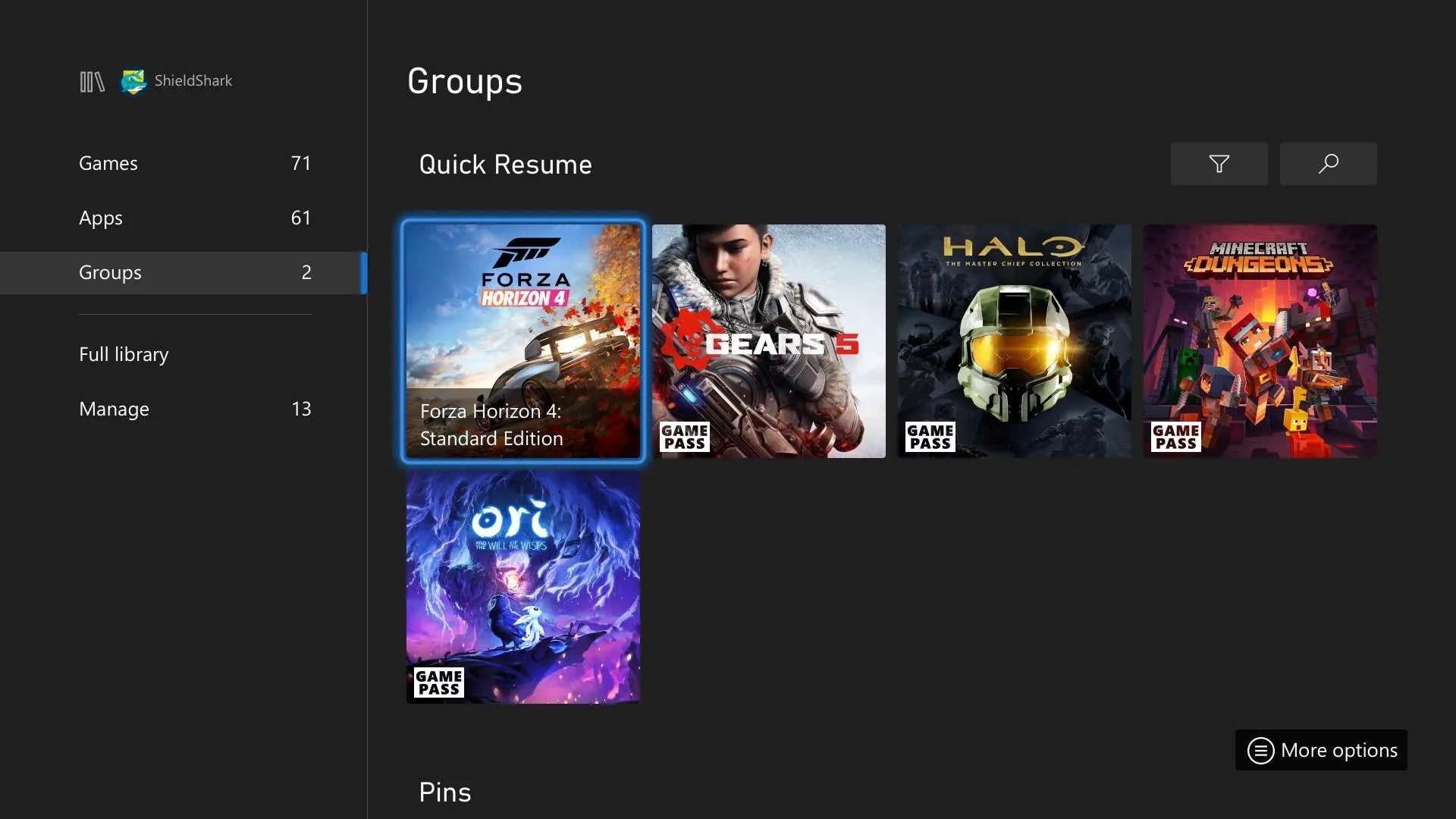
You can pin any game to the Xbox’s permanently: Just hover over its icon, tap the hamburger button, and select “add to home.” Maybe there’s a use case I’m overlooking, but the logic behind this has always failed me. If you play a game frequently enough that you need it pinned permanently to your home screen, it’s probably already on your home screen as one of your most-played games. (The top line of the Xbox UI shows your six most recently used apps. Also your game library is literally right there.)
Game Clubs
Every single Xbox game has a so-called Game Club, accessed by viewing the game’s “game card” (in the menu that pops up after tapping the hamburger button) and then tabbing over to the “official club” icon. Here, you can see info related to the particular game, from achievement-tracking lists to “news” stories (which you can always just get from your favorite gaming news site). In the Progress tab, you’ll also find a to-the-minute count of how much time you’ve devoted to that game—good stuff! So it’s not that Game Hubs are entirely useless, per se. It’s more that they needlessly obfuscate information you actually want, an aspect that’s brought into stark clarity considering how readily it’s accessible on competing platforms, like the PlayStation and Switch.
Skype
We’re well in the era of Zoom, but the omnipresent specter of a video chat app from like five internet eras ago hasn’t gone anywhere. Yes, Skype is very much on Xbox. My only question here is…uh, why? It’s partially meant to double as a voice chat alternative, I suppose, but pretty much every chatting option is better, including Microsoft’s own, or the recently added Discord integration (great for crossplay).
Break Reminders
Sure, in the console’s settings, under the Preferences menu, you can set up automatic break reminders in half-hour increments. (These notifications only pop up when you’re playing a game, but the clock starts counting the second you turn your Xbox on.) But c’mon, no one wants their Xbox to act like their parents. Also, free time is more precious than ever these days. If you can reasonably snag a few hours to play games consecutively, more power to you.
The Events tab
By default, the Xbox’s main screen includes a line item for Events, which gives you a quick update about whether or not any live-service games are running active events. Right now, my Events tab shows details about events for Marvel’s Avengers, Ark: Survival Evolved, and Destiny 2—two of which I’ve never played on Xbox. (My Avengers account is on PlayStation; I’ve never touched Ark.) So, it’s clearly not always relevant. But also, if you’re a regular player of service games, you’re probably going to learn about what’s happening either through official social channels, news sources, or in-game.
Xbox Assist
Xbox Assist is a built-in encyclopedia of FAQs, tips, and other system-level guides. For instance, if you pop open the Troubleshooters menu, you’ll see a walkthrough that’ll tell you how to start a game you’re having trouble booting up, replete with an option to check the status of Xbox’s online services. But you can’t keep these guides open at the same time as the part of the Xbox you’re having the issue with, meaning you have to either memorize the advice or juggle between two apps. Plus, we all know the one place folks head to for easy answers: Google. It’s far easier to just have all of this information on-hand from Xbox’s Support Page in a web browser.