Get the most out of your home screen
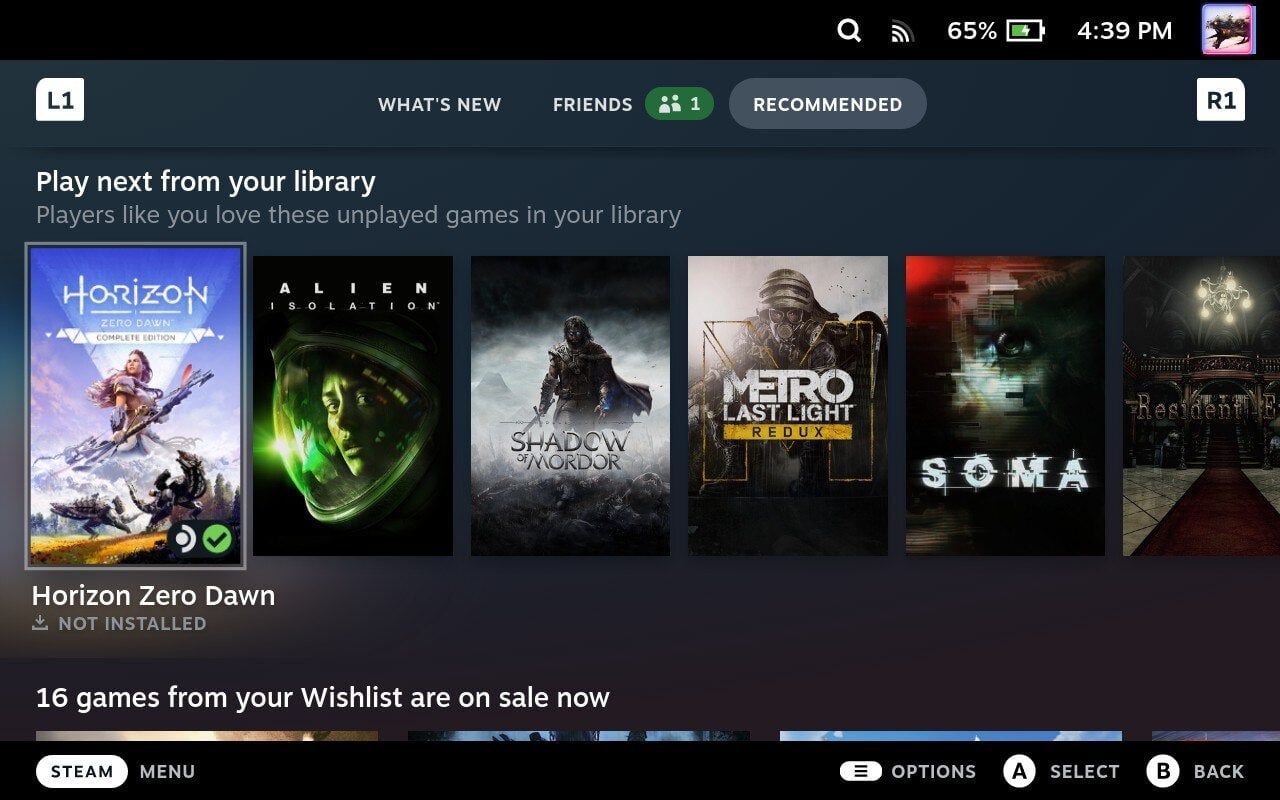
The home screen on the Steam Deck might lack some much-needed customization features, but aside from the main row of recently-played titles, scroll down a bit and you’ll get a quick summary of recently updated games and apps. Further down, you can get a sense of what games your friends are playing.
But hit R1 twice on your home screen and you’ll be taken to the Recommended tab. Here you can launch the Discovery Queue. If you’re new to Steam, this is a great way to find games that might suit your taste. You can quickly wishlist, or visit the store page of any game on there.
Just below the Discovery Queue, however, you’ll notice a section called “Play next from your library.” Your Deck will highlight games you haven’t yet played, lining up a queue of titles for games you already own. For some of us, that might be half our libraries. But it’s a nice way to have the Deck suggest something new that you already own.
Further down on the home screen, you’ll see a selection of games that you’ve wishlisted and are currently on sale. So if you’re looking to save some cash on a game that caught your eye previously, this is a good place to check often.