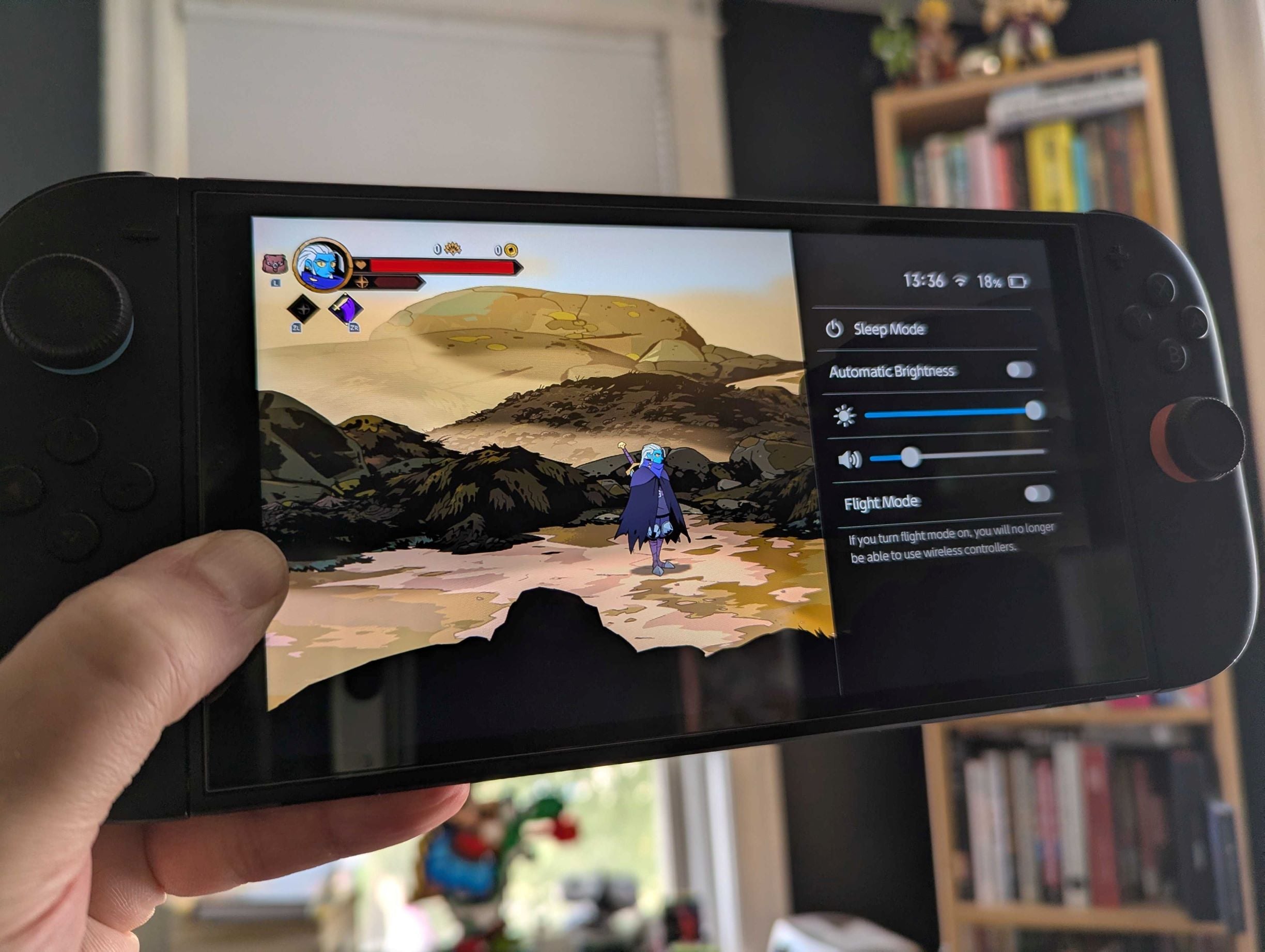
I consume a firehose of online content every day as part of my job. At some point in the last week, through a post, comment, or video I can no longer remember, I became aware of a shortcut for tinkering with the brightness on my Switch 2. Turns out this existed on the original Switch as well. All you have to do his hold down the home button to instantly bring up the slider. Eureka!
I’ve had the old Switch since it launched back in March 2017. I still remember passing through the food court at the mall to pick it up from GameStop. Thousands of hours later, it feels slightly embarrassing to report that I never knew about this settings menu shortcut.
I change my brightness settings a lot depending on where I’m sitting, the time of day, how bright it is outside, and who’s around me. To cut down on the glare in my porch room, I boost it to the max. To save battery on long car rides with the kids, I toggle it way down. In bed with my partner and two-year-old while grinding runs of Hades 2, I also keep the screen dim to not wake them up.
And every damn time I did it, I was going back to the home screen, clicking on the settings, and going to the screen brightness bar. Was this the biggest hassle in the world? Obviously not! But I love games and I love gaming hardware and one of the cornerstones of that hobby is min-maxing and I felt a little pang of humiliation when I realized I’d been using my Switch sub-optimally all these years.
No longer! Don’t be like me! Take the knowledge of this home button shortcut and go control your screen brightness the way Nintendo intended.