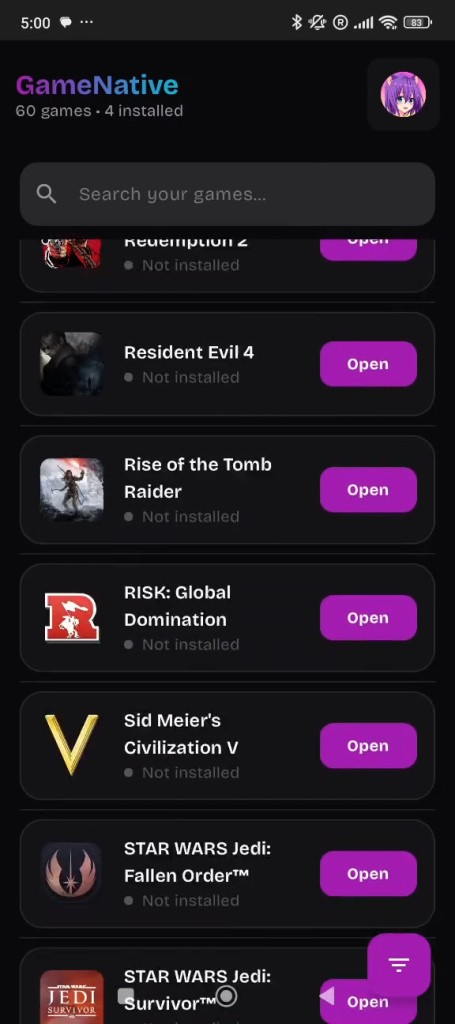
GameNative is an Android application that allows you to play PC games without a PC. It does not require you to stream your games on your computer but rather play the games on your phone or tablet using Steam. You can access Steam in the app to view your library and see which titles your device can run. It is not a complete substitute for a desktop; it is an experimental hybrid between Windows gaming and Android hardware. There are those who use it to push the limits of devices, but there are also those who stock it to play small games on the go.
Development of GameNative is steady but not always consistent because it is open source. No giant corporation is polishing every corner; hence, you will come across rough corners. Certain games perform well; some crash or do not boot up. With every update, something can get better, and something can get worse, yet it remains useful to those who prefer experimenting to perfection. It is what sets it apart from refined, official mobile stores.
Its concept is straightforward: allow Android users to play PC games in the living room without a network connection or a powerful PC at home. Download, install, and test. Your hardware is the biggest determinant of the performance of your games. Since it is Steam-oriented, users who have extensive libraries can test loading and unloading. GameNative is more of an exploration than a direct PC gamer replacement.
What Are the Key Features of GameNative?
GameNative has no flashy advertising. It primarily allows you to find and play Steam games on Android. Once you have logged in, your library is shown. Choose a game to install. The software translates Windows code into a format that can be used by Android. Success is relative, but when it succeeds, it is marvelous that your phone can run a full PC title.
There is also strong support for numerous DRM-protected titles that do not normally execute with other tools. Not all games are fully compatible, but some perform better than expected. The app can also be used to provide a virtual keyboard, overlay controllers, and external gaming controllers, where your device permits them. These tools assist in making games that are touch-control competent and playable.
Performance depends on your chips, graphics card, and your device's thermal threshold. High-end gaming phones or handhelds are best. Even simple games cannot work on older budget phones. There is too much Android hardware to have one standard. Some games run perfectly well, while others run on their knees or fail to start at all. Not everyone can be improved by an update.
GameNative is a local program; it does not stream anything off a different computer. That is to say that the internet is not used extensively when playing. Some titles also allow offline play after installing the game files. This is enticing to individuals who would desire to play games without necessarily being connected. The disadvantage is that large installations can incur costs; hence, storage is essential.
The app is still young; therefore, there could be bugs, crashes, weirdness, and compatibility problems. It is not what the tool is supposed to be. It only gives Android users the option to experiment with real PC content in a new setting.
Is GameNative Free to Use?
Yes. The project itself is completely open-source, and developers do not charge for installing and updating it. It is free to download, install, and use. All that is required is an Android device, the games you already have, and storage space. The tool is community-developed.
Which Platforms Support GameNative?
Only Android. Go to its official page or GitHub, download the APK, and install it on your device. It is not available on iOS, Windows, macOS, or Linux. The application is based on Android's ability to execute external APKs and on compatibility layers. The performance of the device can vary: expensive models can play more games; mid-tier phones can play lightweight games but not heavy ones; handheld consoles or tablets show more predictable performance owing to cooling.
Low-end devices might not perform much better than the tiniest indie games. You also require a Steam account to view your library. Create an account once, install the game files of the game, and test. Playing all games offline is not possible, yet a lot of them do. GameNative is not cloud-streamed; it is just a local installer and launcher.
What Are the Best Alternatives to GameNative?
Steam Link does not operate Windows games locally; it streams straight off your PC into Android. The game requires a gaming PC with the game installed and running. The phone is turned into a secondary screen. The network of your house makes or breaks performance: slow on a bad network, fast on a good one. It is smooth and formal, unlike experimental tools, and it needs a powerful PC. It is not a standalone option, but it is stable and reliable. You just tap and download the app to try it, but everything still depends on the PC you already have.
Winlator is another Android application that employs Windows applications. It is more of a sandbox than a Steam-based launcher. Most classic Windows titles can be supported by adjusting settings, graphics layers, and performance options. It involves technical inquisitiveness. Winlator is popular because it has more choices than other users who prefer to experiment with compatibility layers. Nevertheless, Steam integration is not straightforward, and you may have to work with the installation files yourself. It is strong with older PC games, but not so good with heavy modern games. Users often download different profiles or settings packs to see which ones work best for their device.
GameHub is not Windows or Steam exclusive. It also concentrates the games across platforms to enable you to experiment with launching them through alternative methods. It does not ensure 100 percent compatibility, but it offers a single interface for arranging collections. GameHub is applicable when one wishes to have a single library of sources. It does not have GameNative's direct Steam installation option, but it offers the flexibility to gather and manage games at various points. Most people download it to centralize everything in one place, even if not every game launches perfectly.