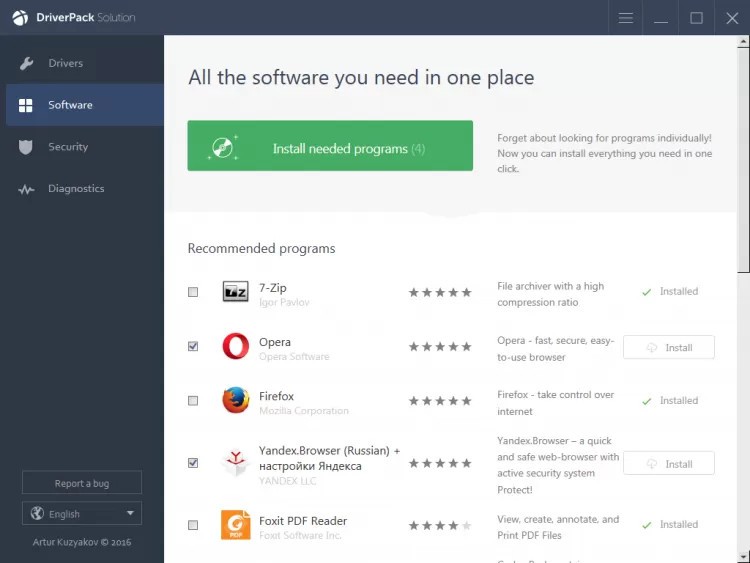
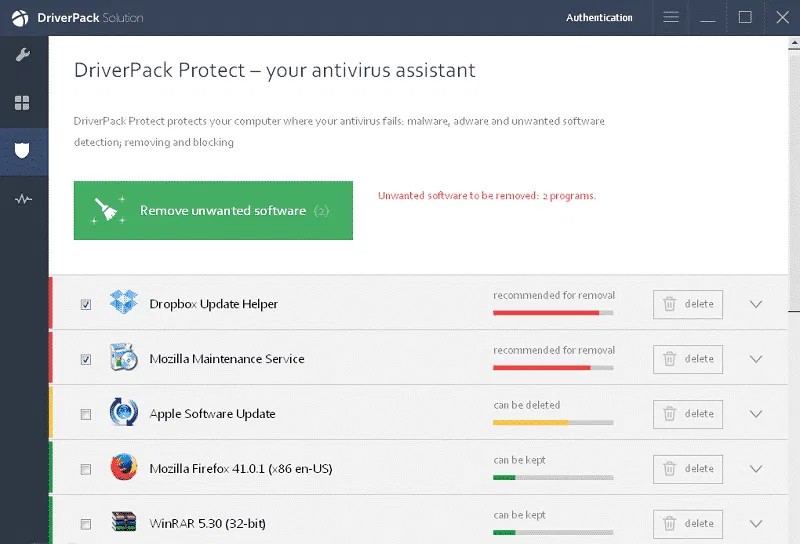
DriverPack Solution is an easy-to-install utility that enables Windows computers to install and update drivers. Drivers facilitate communications between software and hardware. Drivers become non-functional when they are either missing or outdated. DriverPack scans your computer, identifies hardware, and compares it against a large online database of drivers. Created by Artur Kuzyakov, it became a small project that evolved into a widely used tool, particularly for users who have to install or reinstall Windows or manage multiple computers.
DriverPack has a distinct advantage in automation. No technical knowledge is required of a new user. The software will scan, identify missing or erroneous drivers, and propose alternatives through a user-friendly guided interface. It suits well with a non-technical user who wants a fast solution, and also a technician who will save time on installation.
The database was expanded over the years to include almost all common hardware categories, including network cards, Bluetooth adapters, webcams, printers, chipsets, sound cards, Wi-Fi devices, video cards, and more. This universal coverage will eliminate the need to visit the manufacturers' individual websites.
What Are the Key Features of DriverPack Solution?
The first useful attribute is the size and coverage of the database driver or database, which is made up of millions of entries from several manufacturers. DriverPack uses machine learning to identify the most robust or compatible version, minimizing the risk of installation failure.
The other strength is automation. The process of installing drivers in a PC following a format can be tedious; therefore, DriverPack bundles it into a single process. After opening it, it verifies everything and offers updates, allowing you to install them all at once or separately. The tool is speedy since files are stored in global servers.
Different modes meet different needs. The online version is lightweight and only requires downloading the necessary drivers. The offline version is a single massive package, which is useful when there is no internet connection on the computer you want to update. A network version is concerned with network drivers so that one can be online as soon as possible to make downstream downloads.
There is partnering with antivirus application vendors and file verification to ensure the installation does not contain dangerous or modified drivers. The software also includes support for older hardware and outdated versions of Windows that are harder to find in newer driver ecosystems. It aims to provide speedy, predictable configuration, even for users who rarely interact with system settings.
Is DriverPack Solution Free to Use?
Yes, DriverPack can be downloaded, scanned, and installed for free. Installing may include optional recommendations or other programs, but the basic driver functionality does not need a subscription. Customers can turn off these additional recommendations; the basic feature is free and does not have limits.
Which Platforms Support DriverPack Solution?
DriverPack is available only on Windows and is compatible with versions of Windows XP, Windows 7, Windows 10, and Windows 11. It maintains broad compatibility with outdated hardware and operating systems that manufacturers may no longer support.
It does not have an official version for macOS, Linux, or Chrome OS. Because the tool is designed around the Windows driver model, it is not feasible to port it to other platforms. Users with other systems are required to use the software provided by the system or the driver management built into their OS.
The software is compatible with desktops, laptops, and other Windows devices, provided that the hardware can support standard driver packages. Some users store the offline version on a USB drive to troubleshoot or reconstruct several PCs without re-downloading drivers each time.
What Are the Best Alternatives to DriverPack Solution?
Snappy Driver Installer (SDI) is a close competitor that is accurate with a lean interface. It is mobile, i.e., does not require installation, and has huge driver indexes, which can be downloaded even when offline. SDI allows users to choose which drivers to enable, which also attracts technicians who prefer a clean interface with no advertising. It's open source, which helps keep it popular among advanced users. Many users download SDI when they need a reliable offline option without installation.
DriversCloud provides a web-based solution with a hybrid. Once a little scanner is installed, you receive a step-by-step report in your browser, with information on the version of each driver, each component installed, and the system specifications. Users can download suggestions from the site. Temperature, memory, and performance information about the hardware is also provided by DriversCloud and can be used in the diagnostic process. It does not offer mass installation, but the newer and older Windows systems have transparency and breakdowns. Most people download the individual driver files from DriversCloud after reviewing the detailed reports.
Driver Genius specializes in updating, saving, and restoring drivers. It searches for and updates the old drivers and gives the user the option to update them in batches. Another remarkable point is the creation of driver backups, which is useful in case of Windows reinstallation or transferring between systems. There is a system clean-up tool and diagnostics capabilities within Driver Genius. It is not absolutely free; to gain some sophisticated functionality, you may have to pay. Its latter, refined interface may appeal to users seeking a high-quality layout, yet the underlying driver update process is like that of other tools. Many users download Driver Genius for its backup feature when planning a system reinstall or upgrade.