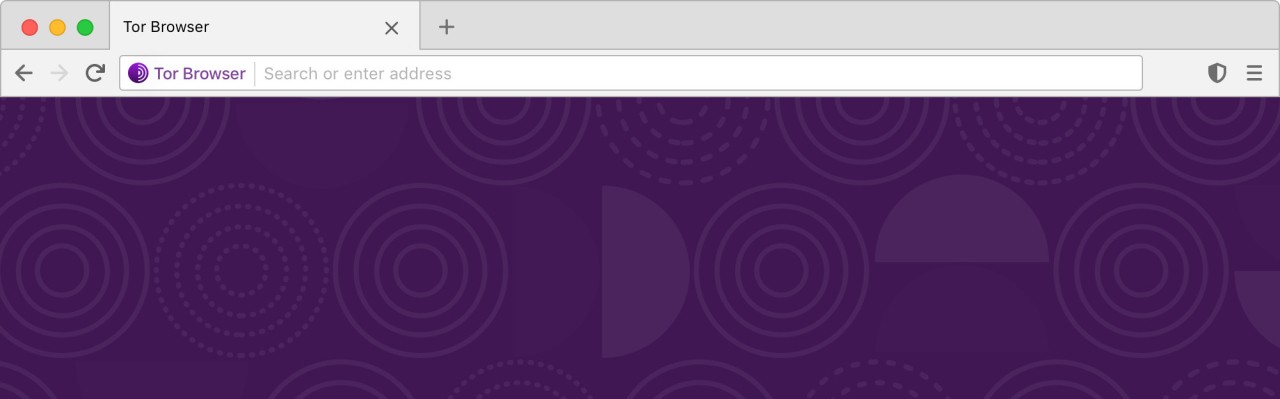
Tor Browser is a privacy-focused browser built on the Tor network. Rather than connecting directly to websites, your traffic travels through a series of volunteer-operated relays, each adding its own layer of encryption along the way. This makes it extremely difficult for ISPs, network administrators, or tracking systems to identify who you are or which sites you visit. Tor Browser is not built for speed or convenience; it exists for people who place anonymity above everything else.
The browser works to make all its users appear identical, which cuts down on fingerprinting. Each tab is also isolated from the others, preventing sites from linking your activity across sessions. This behavior sets it apart from standard browsers. Tor Browser is the right tool when privacy genuinely matters: investigating sensitive topics, avoiding surveillance, or reaching websites that are blocked in certain regions. It is not designed to replace your everyday browser, but to provide a separate environment where your identity and behavior stay hidden by default.
What Are the Key Features of Tor Browser?
Tor Browser weaves multiple privacy protections into a single package. Every website you visit is treated as isolated, so trackers cannot follow you from one tab to another. When you close the browser, it automatically wipes cookies, browsing history, cached data, and session information. This creates a complete separation between sessions that ordinary private modes cannot fully replicate. Tor also standardizes the appearance of its users' browsers so they all look alike, making individual fingerprinting far harder.
Multi-layer encryption is central to how Tor works. Your traffic passes through three separate relays before reaching its destination. Each relay adds or removes one layer of encryption, meaning no single relay ever knows both where the traffic originated and where it is going. This architecture also allows access to content blocked by local networks, opening up information that would otherwise be unreachable. The trade-off is speed; Tor is noticeably slower than mainstream browsers, but that is the cost of the anonymity it provides.
On mobile, Tor Browser brings the same privacy-first design in a more compact interface. Users get the same core protections: tracker blocking, encrypted relay routing, and automatic session cleanup after each use. The interface stays minimal, keeping the browser unobtrusive while maintaining the security that desktop users expect.
Is Tor Browser Free to Use?
Yes. Tor Browser is completely free and open source. The Tor Project is a nonprofit that relies on donations to keep the software running and maintained worldwide. There are no paid tiers, premium features, or hidden costs. The organization's stated mission is to make privacy tools freely available to everyone, and the browser and network remain open to all.
Which Platforms Support Tor Browser?
Tor Browser runs on Windows, macOS, and Linux. The installation process is similar to any other browser, except that the download package comes pre-configured with privacy settings already active, so no manual adjustments are needed to get started. Once installed, it operates as a fully standalone browser, independent of Chrome, Firefox, or any other browser on your system.
On mobile, Tor Browser has official support for Android. It carries the same feature set as the desktop version, including multi-relay routing, fingerprinting protection, tracker blocking, and automatic session cleanup. An official iOS version does not exist due to Apple's platform restrictions, but Onion Browser is a widely recommended alternative for accessing the Tor network on iPhone and iPad.
Whether on desktop or mobile, the goal stays consistent: isolate browsing activity, prevent tracking, route traffic through Tor, and strip out anything that could identify the user.
What Are the Best Alternatives to Tor Browser?
Brave Browser takes a different approach to privacy. Rather than routing traffic through multiple relays, it blocks trackers, ads, and unwanted scripts directly within the browser before pages load. This keeps speeds noticeably higher than Tor while still delivering a cleaner, more private browsing experience. Brave also includes Brave Search, a built-in VPN on certain platforms, and an AI assistant called Brave Leo. It does not provide the same level of anonymity as Tor, but for users who want solid everyday privacy without sacrificing performance, it is a popular choice. Many users download Brave when they want faster browsing with meaningful privacy protection built in.
Epic Privacy Browser takes a more aggressive stance on blocking data collection. It strips out trackers, ads, crypto-mining scripts, and fingerprinting attempts before pages render. An encrypted proxy masks your IP address, and all browsing data, including history, cookies, and cache, is wiped automatically at the end of each session. It does not use a multi-relay network like Tor, but it significantly limits what websites can learn about you. Epic suits users who want strong privacy protections for daily browsing without the speed penalty that comes with Tor. People typically download Epic when they want serious privacy controls that still feel fast enough for regular use.
Opera is a feature-rich browser that treats privacy as one of several priorities rather than its primary focus. It bundles a free VPN, an ad blocker, a battery saver, customizable workspaces, and integrated messaging tools into a single package. Its tracker blocking is less aggressive than Tor or Epic, but the sheer range of built-in tools makes it a convenient all-in-one option. Users who want pop-out video, a sidebar for apps, flexible layouts, and a reasonable level of privacy without needing extra extensions tend to gravitate toward Opera. Some users download Opera simply because it replaces separate tools with one well-rounded browser.